EasyManua.ls Logo

Zte Consumer Cellular WF723 - User Manual

Zte Consumer Cellular WF723
13 pages
Print Icon
To Next Page IconTo Next Page
Loading...
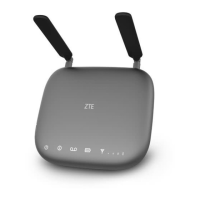
ZTE WIRELESS HOME PHONE BASE
QUICK START GUIDE

Questions and Answers

  • E
    Emily PrattJul 27, 2025
    Why does my Zte Consumer Cellular WF723 Accessories connection sound distorted or noisy?
    • D
      drew17Jul 27, 2025
      If the connection sounds distorted or noisy when using Zte Accessories, it might be due to a damaged cable or phone set. Try removing any electrical appliances that are too close to the phone or your device. If the issue persists, try using a different cable or phone, or contact the dealer.
  • W
    Wendy MercadoAug 6, 2025
    How to fix no dial tone on Zte Accessories?
    • J
      James KellyAug 6, 2025
      If there is no dial tone when using Zte Accessories, please wait for 1–2 minutes after your device is turned on. If signal reception is poor, move to where signal reception is good.
  • J
    Janet SmithAug 16, 2025
    What to do if there is no tone after dialing on Zte Consumer Cellular WF723?
    • J
      Julie RomeroAug 16, 2025
      If there is no tone after dialing with Zte Accessories, wait 4–8 seconds for the call to connect.

Summary

Getting to Know Your Device

Appearance

Top view of the device, identifying key components like antennas, power, and signal indicators.

Installing the Battery

Step-by-step instructions for removing the back cover and inserting the battery correctly.

Installing the nano-SIM Card

Instructions for inserting the nano-SIM card into its slot, with a warning about using the correct card type.

Indicators

Details the status and meaning of device indicators like Power, Voicemail, and Information LEDs.

Device Setup and Usage

Device Installation

Guidance on placing the device for optimal cellular signal reception.

Turning On;Off Your Device

Instructions on how to operate the power switch and the need for a power socket when the battery is low.

Charging the Battery

Steps to connect the device to a power adapter and an AC outlet for charging.

Connecting the Device to a Phone

How to connect a phone to the device's PHONE 1 and PHONE 2 ports.

Making a Call

Steps for making a call using the connected phone, including dialing requirements.

Tips, Troubleshooting, and Safety

Useful Tips

Tips for accessing voicemail and the limitation on calls when the device is powered off.

PIN Lock

How to check nano-SIM card status and actions for PIN locked or PUK locked states.

Troubleshooting

Common issues like no dial tone or distorted connection and their solutions.

Safety Precautions

Warnings about electromagnetic interference, medical devices, environment, accessories, and liquid contact.

Cleaning and Maintenance

Guidelines for cleaning the device and operating within specified temperature and humidity ranges.

FCC Compliance

Information regarding compliance with FCC rules and measures to correct interference.

RF Exposure

Details FCC radiation exposure limits and minimum antenna proximity requirements.

CTIA Requirements

Safety guidelines for battery handling, including warnings against disassembly, modification, and improper use.

Warranty and Contact

Warranty

Details the product's 12-month warranty period, coverage, and exclusions.

Contact Us

Provides contact information for assistance, including phone number and website.

Zte Consumer Cellular WF723 Specifications

General IconGeneral
Supported Networks4G LTE
Wi-Fi802.11 b/g/n
Battery2000 mAh
BrandZTE
ModelWF723
Compatible DevicesSmartphones, Tablets, Laptops
CategoryAccessories
SecurityWPA2

Related product manuals