EasyManua.ls Logo

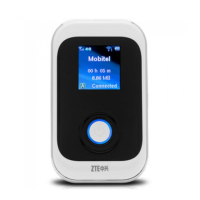
Zte MF980 - User Manual

Zte MF980
19 pages
Print Icon
To Next Page IconTo Next Page
Loading...
1
MF980
Quick Start Guide
ZTE CORPORATION
ZTE Plaza, Keji Road South, Shenzhen, China

Questions and Answers

  • J
    Jill BakerAug 1, 2025
    What to do if client connected to Zte Wireless Router cannot access the internet?
    • A
      aaronwilsonAug 1, 2025
      If a client connected to your Zte Wireless Router can't access the internet, first ensure your micro-SIM card is working. If it is, try moving to a location with a stronger signal. Also, verify the settings of the WAN connection mode. If problems persist, contact your service provider to confirm your APN settings.
  • J
    Julie Gray DVMAug 15, 2025
    What to do if connection between device and PC via USB cable cannot be established for Zte MF980 Wireless Router?
    • R
      Richard WongAug 15, 2025
      If you can't establish a USB connection between your device and PC with your Zte Wireless Router, install the software and run the installation program from 'My Computer'. If the device driver is abnormal, reinstall the software, remembering to uninstall it first.

Summary

MF980 Quick Start Guide

Getting to Know Your Device

Appearance

Describes the physical components and ports of the device.

Indicators

Explains the icons displayed on the device's LCD screen.

Connection Scenarios

Explains how the device accesses the Internet via 4G and Wi-Fi.

Installing Your Device

Install a Micro-SIM Card

Step-by-step guide on inserting the micro-SIM card into the device.

Connecting to Your Device

Using Wi-Fi

Instructions for connecting a client device to the device using Wi-Fi.

Using a USB Cable

Instructions for connecting a computer to the device via a USB cable.

Getting to Know the Wi-Fi SSID and Password

Logging in to the 4 G Mobile Hotspot Configuration Page

Guide on accessing the device's web-based configuration interface.

Changing the Wi-Fi SSID or Password

Accessing the Internet via 4 G Mode

Explains how to access the Internet when the device is in 4G mode.

Accessing the Internet via Internet Wi-Fi Mode

Using the FUNC Key

Details the functions and operations of the device's FUNC key.

Configuring Your PC

Warning and Notice

Provides important safety warnings and general notices for users.

Warning and Notice (continued)

Using Battery

Information and precautions regarding the device's built-in battery.

Limited Warranty

Outlines the terms and conditions of the product's limited warranty.

Limited Warranty (continued)

Limitation of Liability

Specifies ZTE's liability limitations concerning the product.

FCC Caution

Details compliance with FCC rules and potential interference issues.

FCC Caution (continued)

LEGAL INFORMATION

Contains legal notices, copyright information, and publication details.

Body Operation

Addresses RF exposure compliance for body-worn usage.

Troubleshooting

USB Connection Issues

Solutions for problems establishing a USB connection between PC and device.

Wi-Fi Connection Issues

Solutions for problems connecting a client to the device via Wi-Fi.

Getting More Help

Contact Support

Provides contact information for obtaining further assistance.

Zte MF980 Specifications

General IconGeneral
BrandZte
ModelMF980
CategoryWireless Router
LanguageEnglish

Related product manuals