EasyManua.ls Logo

Zte Open C - User Manual

Zte Open C
104 pages
Print Icon
To Next Page IconTo Next Page
Loading...
1
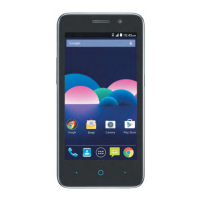
ZTE Firefox Open C
3G Mobile Phone
User Manual

Table of Contents

Questions and Answers

  • R
    Ronald JohnsonAug 15, 2025
    What to do if my Zte Open C cannot turn on?
    • S
      Stephen WeaverAug 16, 2025
      If your Zte Cell Phone cannot be turned on, ensure the battery isn't depleted by recharging it. Also, a malfunctioning or damaged (U)SIM card can prevent the phone from turning on; take the (U)SIM card to your service provider for testing. An improperly inserted (U)SIM card can also be the cause; make sure to insert it correctly. Finally, debris on the (U)SIM card contacts can be a problem; clean the contacts with a soft, dry cloth.
  • J
    jenny75Aug 18, 2025
    Why does my Zte Open C have poor reception?
    • B
      Brian GriffithAug 18, 2025
      Poor reception on your Zte Cell Phone can occur because the network signal is weak at your location (for example, a basement or near a tall building). Wireless transmissions might not effectively reach the phone. Move to a location where the network signal can be properly received. Also, the network might be busy, especially during peak times. Avoid using the phone during these times, or try again later. Finally, you might be too far from a base station. You can request a service area map from your provider.
  • K
    Kimberly SanchezAug 21, 2025
    Why does my Zte Open C have shortened standby time?
    • F
      fmurphyAug 21, 2025
      Shortened standby time on your Zte Cell Phone can be due to several reasons. First, standby time depends on your service provider's system configuration. The same phone with different providers will have varying standby times. If you're in an area with a weak signal, temporarily power off the phone. Second, a depleted battery or high temperatures can shorten battery life; try using a new battery. Lastly, if your phone can't connect to the network, it will continuously search for a base station, consuming battery power. Change your location to one with network access, or temporarily turn off your phone.
  • B
    Brandi LawrenceAug 25, 2025
    What to do if my Zte Open C Cell Phone battery is not charging?
    • N
      Nathan JenkinsAug 26, 2025
      If your Zte Cell Phone battery isn't charging, there are a few potential causes. The battery or charger might be damaged, in which case you should contact the dealer. Also, extreme temperatures (below 0 °C or above 45 °C) can prevent charging; adjust the charging environment to avoid these extremes. Finally, poor contact between the battery and charger can be the issue. Check all connectors to ensure they are properly connected.
  • M
    Michael HartAug 28, 2025
    How to fix Zte Cell Phone unable to connect to the network?
    • N
      Nicholas PierceAug 28, 2025
      If your Zte Cell Phone is unable to connect to the network, it could be due to a few reasons. The (U)SIM card might be invalid, so contact your service provider. You might also be outside the network's service area; check with your provider. A poor signal could also be the cause. Move to an open space, or closer to a window if you're inside.
  • M
    Michael Reyes IIAug 30, 2025
    Why does my Zte Cell Phone have echo or noise during calls?
    • Z
      zblackAug 30, 2025
      Echo or noise during calls on your Zte Cell Phone can stem from poor network link quality from your service provider or poor local telephone line quality. End the call and dial again to be switched to a better-quality network link or phone line.
  • M
    Michael MartinSep 2, 2025
    Why does my Zte Cell Phone crash, reboot, freeze, or cannot be powered on?
    • M
      Michelle HartSep 3, 2025
      If your Zte Cell Phone crashes, reboots, freezes, or won't power on, it could be due to incompatible third-party software. Try uninstalling any recently installed software that may be causing the problem. You can also try upgrading the phone software or resetting the phone to factory status.
  • S
    Sarah WilliamsonSep 5, 2025
    What to do if my Zte Cell Phone PIN code is blocked?
    • C
      Christine HarperSep 5, 2025
      If your Zte Cell Phone PIN code is blocked, it's because you've entered the incorrect PIN code three times consecutively. Contact your service provider. If they provide the (U)SIM card’s PUK code, use the PUK code to unlock the (U)SIM card.
  • H
    Harold RichSep 9, 2025
    Why am I unable to select certain features on my Zte Cell Phone?
    • A
      abigailwardSep 9, 2025
      You might be unable to select certain features on your Zte Cell Phone because your service provider does not support these features, or you have not applied for services that provide these features. Contact your service provider.
  • S
    Sheena MaddenSep 12, 2025
    What to do if unable to enter information into the phonebook of Zte Open C?
    • C
      Carlos MendozaSep 12, 2025
      If you are unable to enter information into the phonebook of your Zte Cell Phone, the phonebook’s memory is already full. Delete unnecessary data from the contacts.

Summary

Getting Started with Your ZTE Phone

Understanding Your Phones Components

Identifies key phone hardware components and their basic functions.

Installing SIM Card and Battery

Step-by-step guide for inserting the SIM card and battery.

Battery Charging and Management

Instructions for charging the battery and tips for extending battery life.

Navigating the Touch Screen

Explains basic touch gestures for interacting with the device screen.

Connecting and Communicating

Mobile Network and Wi-Fi Connection

Guides for connecting to mobile networks and Wi-Fi.

Bluetooth Device Pairing

Instructions for pairing and connecting with Bluetooth devices.

Making and Receiving Phone Calls

Comprehensive guide on placing, answering, and managing phone calls.

Sending and Replying to Messages

How to compose, send, and reply to text and multimedia messages.

Using Phone Applications and Media

Email Setup and Usage

Guide to setting up and managing email accounts.

Web Browsing and Bookmarks

Instructions for browsing the web, managing tabs, and using bookmarks.

Camera and Gallery Functions

How to capture photos, record videos, and manage media in the gallery.

Music Playback and FM Radio

Steps to play music files and listen to the FM radio.

Device Settings, Troubleshooting, and Safety

Customizing Device Settings

Overview of settings for network, personalization, and privacy.

Troubleshooting Common Phone Issues

Solutions for common problems like poor reception and battery issues.

Important Safety Precautions

Essential safety guidelines for device operation and handling.

Zte Open C Specifications

General IconGeneral
BrandZte
ModelOpen C
CategoryCell Phone
LanguageEnglish

Related product manuals