Page 1 of 32
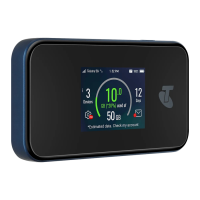
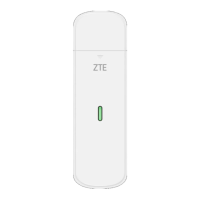
TELSTRA 4GX WI-FI PLUS (MF910Y)
USER MANUAL
Copyright © 2017. All rights reserved.
No part of this publication may be excerpted, reproduced, translated or utilized in any form or by
any means, electronic or mechanical, including photocopying and microfilm, without the prior
written permission of ZTE Corporation.
The manual is published by ZTE Corporation. We reserve the right to make modifications on errors or
update specifications without prior notice.
Version 1.0 July 2017
CHECK YOUR SYSTEM REQUIREMENTS
Your Pre-Paid 4GX Wi-Fi Plus will connect to any Wi-Fi enabled device that
supports Wi-Fi 802.11 b/g/n
A web browser is required to log in to your Wi-Fi hotspot if you wish to make any
configuration changes.
USB driverless connection is also supported for Windows (not RT), and MAC
operating systems:
• Windows 10, 8 (not including RT) / 7 / XP (SP3) / Vista
• MAC OS X 10.7 and above
Using the USB connection requires administrator rights to install and run the
software.
We suggest you switch off your anti-virus software before connecting the hotspot
- In some cases protection software can prevent automatic installation.
It is possible to start the installation process manually by clicking the Autorun icon
when it appears.

 Need help?

 To Next Page
 General