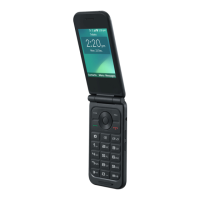
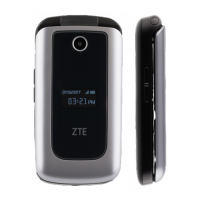
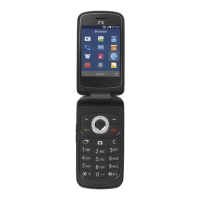
This document is a user guide for the ZTE Z2335CC phone, providing essential information on its features, setup, safety, and regulatory compliance.
Function Description:
The ZTE Z2335CC is a flip phone designed for basic communication needs, including making and receiving calls, and potentially sending messages and capturing photos. It features both an internal and external screen, allowing users to see notifications or time without opening the phone. The device supports a nano-SIM card for cellular connectivity and an optional microSDHC card for expandable storage.
Important Technical Specifications:
- Model Name: Z2335CC
- SIM Card Type: Nano-SIM
- Expandable Storage: microSDHC card (optional)
- Charging Port: Micro-USB jack
- Audio Jack: 3.5 mm headset jack
- SAR (Specific Absorption Rate) Compliance:
- Highest reported SAR value for usage against the head: 0.58 W/kg
- Highest reported SAR value for usage near the body: 1.28 W/kg
- FCC SAR limit: 1.6 W/kg
- Body-worn operation requires a separation distance of 10 mm from the body.
- FCC Regulations: Complies with part 15 of the FCC Rules, meaning it may not cause harmful interference and must accept any interference received.
- Power: The phone operates on a rechargeable battery.
Usage Features:
- Physical Keys:
- OK key: For selection and confirmation.
- Left soft key and Right soft key: Context-sensitive function keys.
- Send key: To initiate calls.
- Camera key: To activate the camera function.
- 4-way navigation key: For menu navigation.
- Power/End key: To power on/off the phone and end calls.
- Clear/Back key: To go back or clear input.
- Volume up key and Volume down key: To adjust audio volume.
- Screens:
- Internal screen: The main display when the phone is open.
- External screen: A smaller display on the outside of the phone, likely for time, notifications, or caller ID.
- Audio:
- Earpiece: For listening during calls.
- Main microphone: For speaking during calls.
- Auxiliary microphone: Potentially for noise cancellation or improved audio quality.
- Speaker: For loudspeaker function, ringtones, and media playback.
- Camera: The device includes a camera, indicated by the "Camera key" and a camera lens on the external part of the phone.
- Charging: The phone is charged via a micro-USB jack. Users are advised to use only ZTE-approved chargers and USB cables.
- SIM and Storage Installation: The guide details the process of installing the nano-SIM card and an optional microSDHC card, emphasizing the need to power off the phone first.
- Call Handling: The guide advises against making or receiving calls while driving and to keep the phone at least 10 mm away from the body during calls.
- Audio Safety: Users are warned about the phone's ability to produce loud sounds and are advised to avoid listening at high volume levels for long periods to prevent hearing damage. Caution is also advised when holding the phone near the ear while the loudspeaker is in use.
Maintenance Features:
- Battery Management: The guide instructs users to fully charge the battery as soon as possible after initial setup and to disconnect the charger once the battery is full. It also provides troubleshooting advice for extremely low battery situations.
- Accessory Usage: Emphasizes the use of only ZTE-approved chargers, USB cables, and accessories to prevent damage to the phone or battery.
- Disassembly Warning: Users are explicitly warned not to attempt to disassemble the phone.
- Environmental Protection: Advises against disposing of the phone in fire and to avoid extreme temperatures.
- Liquid Contact: Users are instructed to avoid contact with liquids and to keep the phone dry.
- Magnetic Interference: Advises avoiding contact with anything magnetic and keeping the phone away from pacemakers and other electronic medical devices.
- Interference Management: Provides guidance on turning off the phone in specific environments like hospitals, medical facilities, aircraft, airports, near explosive materials or liquids, and at gas stations.
- Emergency Communications: States that the phone should not be relied upon as a primary device for emergency communications.
- FCC Compliance: The device's compliance with FCC regulations ensures it meets standards for electromagnetic compatibility, reducing the likelihood of interference with other devices. If interference occurs, the guide suggests measures like reorienting antennas, increasing separation, or consulting a technician.

 Need help?
 General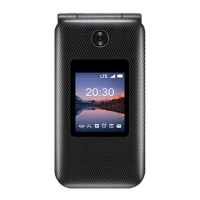

 To Next Page