EasyManua.ls Logo

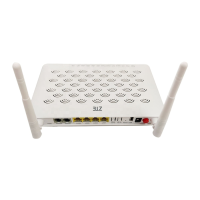
Zte ZXV10 W300 - User Manual

Zte ZXV10 W300
43 pages
Print Icon
To Next Page IconTo Next Page
Loading...
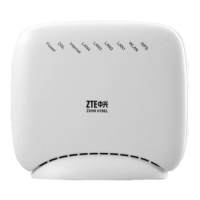
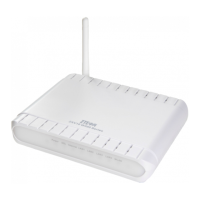
ZXV10 W300
Wireless ADSL Router
User's Manual
ZTE CORPORATION

Other manuals for Zte ZXV10 W300

Questions and Answers

  • K
    Kelly JimenezAug 18, 2025
    Why is my PC unable to access the network with Zte ZXV10 W300 Network Router?
    • J
      Jeremy RodriguezAug 19, 2025
      If your PC can't access the network when using a Zte Network Router, try these steps: Use the Ping command to check if you can ping the router's IP address (192.168.1.1). If not, check the Ethernet cable. Ensure the indicator status is normal. If your computer uses a manually set private IP address, verify that the gateway IP address is correct or set the computer to obtain IP information automatically. Contact your ADSL Service Provider to confirm the DNS server is valid, or set your computer to obtain IP information automatically. Ensure you've set the NAT rule to convert the private IP address into the legal address, and that your computer's IP address is within the range set in the NAT rule. There may also be a problem with the ADSL Service Provider's equipment.
  • E
    Eric WrightAug 23, 2025
    What to do if DSL indicator is OFF when the telephone line is connected to Zte Network Router?
    • D
      davismichelleAug 23, 2025
      If the DSL indicator is off when the telephone line is connected to your Zte Network Router, ensure you are using standard telephone lines (like those included in the package). Make sure the lines are properly connected according to the hardware connection procedure. Check all ports for loose connections. Wait 30 seconds for the device to establish a connection with your ADSL Service Provider.
  • V
    Veronica GarzaAug 26, 2025
    What to do if the LAN indicator is OFF when the Ethernet cable is connected to Zte Network Router?
    • M
      Mark PattonAug 26, 2025
      If the LAN indicator is off when the Ethernet cable is connected to your Zte Network Router, make sure the Ethernet cable is properly connected to both the hub/computer and the device. Also, ensure that the computer/hub is powered on.
  • T
    Thomas AndrewsAug 27, 2025
    What to do if WLAN is unable to be connected to Zte ZXV10 W300 Network Router?
    • D
      Daniel KirkAug 27, 2025
      If you're unable to connect to WLAN, ensure the Wi-Fi indicator is ON and that your wireless network adapter is properly configured. Also, verify that the network name, encryption mode, and encryption key match the settings on your Zte Network Router.
  • S
    Steven CareyAug 30, 2025
    What does it mean if the DSL indicator alternates between slow and fast flashing on my Zte Network Router, and how can I fix it?
    • C
      christophermorrisonAug 30, 2025
      If the DSL indicator on your Zte Network Router alternates between slow and fast flashing, this indicates a failed connection between the device and the office-end ADSL. Ensure the device has been installed properly according to the samples provided. The first sample is recommended. If you use the second sample, ensure a voice filter is installed properly.
  • D
    Dr. Nicole LopezSep 1, 2025
    How to troubleshoot Zte ZXV10 W300 Network Router when the indicator is OFF after powering on?
    • P
      patelgeorgeSep 1, 2025
      If the indicator is off when you power on the Zte Network Router, make sure you are using the power adapter included in the package and that the adapter is properly connected to both the device and the power outlet on the wall.
  • S
    Susan HernandezSep 3, 2025
    What to do if the DSL indicator is OFF when the telephone line is connected to Zte ZXV10 W300?
    • J
      Jordan GregorySep 3, 2025
      If the DSL indicator is off when the telephone line is connected, ensure you are using a standard telephone line and that the lines are connected properly. Check all port connections and wait 60 seconds for the device to establish an ADSL connection.
  • A
    annabrooksSep 6, 2025
    What does it mean when the DSL indicator is slowly flashing on my Zte Network Router?
    • M
      Matthew EllisSep 6, 2025
      A slowly flashing DSL indicator indicates a connection failure between your device and the office-end DSLAM. Ensure the lines are properly connected. If a telephone is installed in front of the splitter, make sure to install a voice filter properly.
  • R
    Richard CaldwellSep 8, 2025
    How to fix the LAN indicator being OFF when the Ethernet cable is connected to Zte ZXV10 W300?
    • S
      Stephanie SmithSep 8, 2025
      If the LAN indicator is off when the Ethernet cable is connected, ensure that the Ethernet cable is properly connected to both the computer and the Zte Network Router. Also, verify that both the device and the computer are powered on.
  • D
    denisefrySep 12, 2025
    How to troubleshoot a Zte ZXV10 W300 Network Router when the power indicator is OFF?
    • D
      David AlexanderSep 12, 2025
      If the power indicator is off when the device is powered on, make sure you are using the power adapter included in the package and that the adapter is properly connected to both the device and the power outlet.

Summary

3 Fast Installation Guide

Hardware Connection Steps

Provides instructions and samples for physically connecting the ZXV10 W300 to telephone and computer lines.

Factory Defaults and Computer Setup

Covers ZXV10 W300 factory defaults and PC network configuration for initial use.

4 Wizard Configuration

4.1 Logging On to the Device

Explains how to access the ZXV10 W300 web interface to start the configuration wizard.

4.2 Configuring VPIs and VCIs

Details how to set the Virtual Path Identifier (VPI) and Virtual Channel Identifier (VCI) for internet access.

6 Troubleshooting

Indicator and Connection Issues

Provides solutions for problems related to device indicators, DSL, LAN, and WLAN connectivity.

Network and Internet Access Issues

Offers troubleshooting steps for PC network access and browsing the internet.

Zte ZXV10 W300 Specifications

General IconGeneral
BrandZte
ModelZXV10 W300
CategoryNetwork Router
LanguageEnglish

Related product manuals