EasyManua.ls Logo

ZUCCHETTI 1.1K-3K TL - User Manual

ZUCCHETTI 1.1K-3K TL
61 pages
Print Icon
To Next Page IconTo Next Page
Loading...
Identificazione: MD-AL-GI-00
Rev. 4.0 del 31.01.18 - Applicazione:
GID
Reg. Pile IT12110P00002965 - Capitale Sociale € 100.000,00 I.V.
Reg. Impr. AR n.03225010481 - REA AR - 94189
Azienda Certificata ISO 9001 - Certificato n. 9151 - CNS0 - IT-17778
Zucchetti Centro Sistemi S.p.A. - Green Innovation Division
Via Lungarno, 248 - 52028 Terranuova Bracciolini - Arezzo, Italy
tel. +39 055 91971 - fax. +39 055 9197515
innovation@zcscompany.com - zcs@pec.it www.zcsazzurro.com
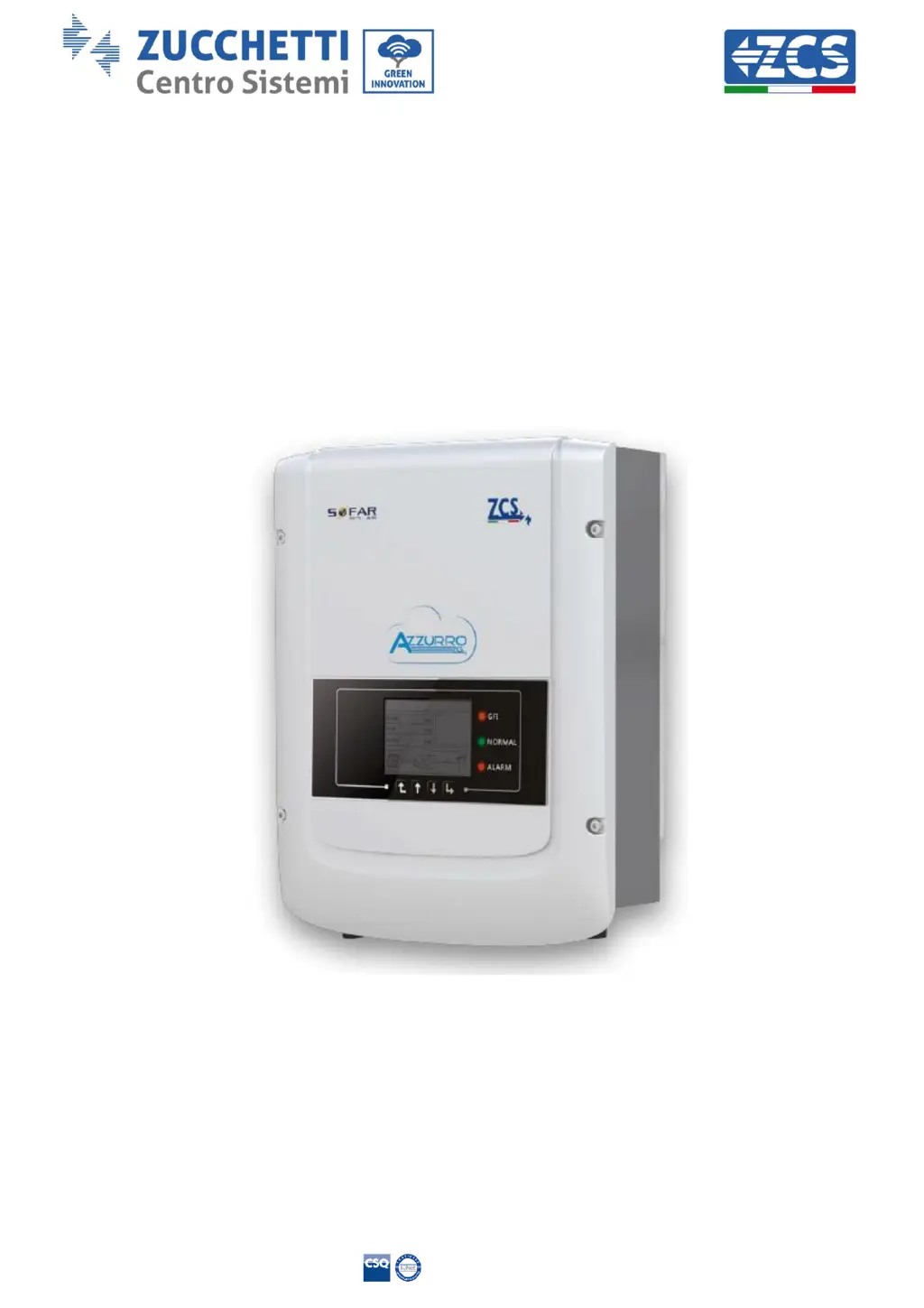
Grid-connected inverter
1.1K 3K TL
User Manual
V2.1 (07-06-2019)

Questions and Answers

  • S
    Steven HarveyAug 18, 2025
    What to do if GridOVP alarm occurs on ZUCCHETTI Inverter?
    • P
      pphillipsAug 18, 2025
      If the GridOVP alarm on your ZUCCHETTI Inverter occurs occasionally, it might be due to an abnormal state of the electrical grid. The inverter should automatically return to normal operation once the grid stabilizes. If the alarm happens frequently, verify that your grid voltage and frequency are within the correct range. If they aren't, contact technical support. If voltage and frequency are fine, inspect the AC circuit breaker and the inverter's AC wiring. If the alarm persists even with correct voltage, frequency, and wiring, contact Technical Support to adjust the grid overvoltage, undervoltage, over-frequency and under-frequency protection points, but only after getting approval from your local grid operator.
  • C
    Christopher JohnsonAug 20, 2025
    What to do if GFCIFault keeps occurring on ZUCCHETTI 1.1K-3K TL?
    • T
      thomasclaudiaAug 21, 2025
      If the GFCIFault occurs occasionally on your ZUCCHETTI Inverter, it's likely due to temporary faults in the external circuits. The inverter should automatically return to normal operation once the fault is resolved. However, if the fault repeats frequently and lasts a long time, check the insulation resistance between the PV string and the ground, and also inspect the insulation conditions of the PV cables.
  • R
    Russell VillegasAug 23, 2025
    Why is PvOVP error appearing on my ZUCCHETTI Inverter?
    • J
      Jennifer RichardsonAug 23, 2025
      If your ZUCCHETTI Inverter shows a PvOVP error, it means too many PV modules might be connected in series, causing the PV string's voltage (Voc) to exceed the inverter's maximum input voltage. To fix this, reduce the number of PV modules in series to lower the PV string's voltage within the inverter's acceptable input range. Once corrected, the inverter should automatically return to normal operation.
  • L
    lwareAug 26, 2025
    How to resolve OverTempFault_Boost on ZUCCHETTI Inverter?
    • V
      Veronica JonesAug 26, 2025
      If you're encountering an OverTempFault_Boost error with your ZUCCHETTI Inverter, ensure that the inverter's installation position and method comply with the requirements specified in Section 3.4 of this manual. Also, check if the ambient temperature at the installation site exceeds the allowed limit. If it does, improve ventilation to lower the temperature.
  • A
    Adam HernandezAug 28, 2025
    What causes OverTempDerating on ZUCCHETTI 1.1K-3K TL Inverter?
    • D
      Dale HunterAug 28, 2025
      If your ZUCCHETTI Inverter is showing an OverTempDerating issue, verify that the installation position and method adhere to the guidelines in Section 3.4 of this manual. Additionally, check if the ambient temperature at the installation location is within the acceptable range. If the temperature is too high, enhance ventilation to reduce it.
  • C
    Christopher BeckAug 30, 2025
    What to do if HwAcOCP error appears on ZUCCHETTI 1.1K-3K TL?
    • D
      Dennis MoralesAug 31, 2025
      HwAcOCP (ID15-ID22) indicates internal faults within your ZUCCHETTI Inverter. To resolve this, turn off the 'DC switch', wait for 5 minutes, and then turn it back on. Check if the fault is cleared. If the problem persists, contact Technical Support.
  • K
    katherinesmithSep 2, 2025
    What does BusOVP mean on ZUCCHETTI 1.1K-3K TL?
    • J
      John DuffySep 2, 2025
      BusOVP indicates an internal fault within your ZUCCHETTI Inverter. To attempt a fix, turn off the 'DC switch', wait for 5 minutes, and then turn it back on. Check to see if the fault has been resolved. If the issue remains, contact Technical Support.
  • A
    Anne AdamsSep 4, 2025
    How to fix HwBoostOCP error on ZUCCHETTI 1.1K-3K TL?
    • T
      Tracy RobertsonSep 4, 2025
      If you're seeing a HwBoostOCP error on your ZUCCHETTI Inverter, check if the input current is higher than the maximum input current the inverter allows. Also, verify the input wiring. If both the current and wiring are correct, contact Technical Support.
  • P
    Paul ChambersSep 7, 2025
    What does PvIsoFault mean for ZUCCHETTI 1.1K-3K TL Inverter?
    • F
      Frederick RobinsonSep 7, 2025
      If a PvIsoFault occurs on your ZUCCHETTI Inverter, check the insulation resistance between the photovoltaic string and the ground. If the insulation is low, rectify the fault.
  • R
    Russell BrownSep 9, 2025
    What to do if ZUCCHETTI 1.1K-3K TL Inverter software version is not suitable?
    • A
      Amanda SmithSep 10, 2025
      If your ZUCCHETTI Inverter indicates that the software version is not suitable, it means the software on the control board and communication board do not match. Contact Technical Support to update the software.

Summary

Preliminary safety instructions

Operation and Maintenance

Maintenance and repair

Outlines safety procedures before performing maintenance or repairs.

Symbols and Icons

Description of functions

Installation

Installation notes

Provides crucial notes and warnings for inverter installation.

Installation process

Outlines the sequential steps for installing the inverter.

Checks before installation

Details pre-installation checks for packaging and product integrity.

Checking the outer packaging

Instructions for inspecting the outer packaging for transport damage.

Checking the product

Procedure for verifying the product's condition after unpacking.

Contents of the packaging

Package contents list

Lists all components included in the inverter's packaging.

Installation tools

Required tools for installation

Lists the tools needed for inverter installation and connections.

Installation position

Requirements for inverter placement

Details the requirements for determining the correct installation position.

Moving the inverter

Procedure for moving the inverter

Describes the correct method for safely moving the inverter.

Installing the inverter

Steps for installing the 1.1 K-3 K TL inverter

Provides a step-by-step guide for mounting the inverter on the wall.

Electrical connections

Connecting cables

Electrical connections overview

Overview of the steps for connecting various cables to the inverter.

Ground cable connections (PGND)

Instructions for connecting the ground protection (PGND) cables.

Prerequisites for grounding

Lists the requirements for preparing ground cables.

Ground cable connection procedure

Details the procedure for preparing and connecting ground cables.

DC input power cables

Connecting the DC input power cables

Guides on connecting DC power cables to the inverter.

AC output power cables

Connecting the AC output power cables

Details the procedure for connecting AC power cables.

Communication cables

Connecting the communication port

Explains how to connect communication cables to the terminal block.

Communication systems

Commissioning the inverter

Safety inspection before commissioning

Ensures all safety checks are completed before starting the inverter.

Photovoltaic strings inspection

Checks photovoltaic strings for correct voltage and polarity.

DC connection inspection

Verifies DC connections for correct voltage and polarity.

Starting the inverter

Step-by-step guide to safely start the inverter.

Operating interface

Main interface

Inverter states

Main menu

Software Update

Troubleshooting and maintenance

Troubleshooting

General steps and checks for resolving inverter issues.

Information on event list

Details how to access and interpret recorded alarms and errors.

Grid Error Codes (ID01-ID04)

Common errors related to grid voltage and frequency.

Input and Grid Current Errors (ID09, ID12, ID14-ID28)

Errors related to input voltage, current, and protection activation.

System and Communication Errors (ID29-ID55)

Faults concerning system operation and communication.

Performance and Environmental Errors (ID56, ID58-ID81)

Errors related to performance, temperature, and insulation.

Software and Country Errors (ID82, ID94-ID100)

Faults related to software, country settings, and hardware.

Uninstalling

Technical specifications

Operating Performance

Details key performance metrics like efficiency and consumption.

Protection Features

Lists safety protections implemented in the inverter.

Standards Compliance

Specifies compliance with relevant safety and grid standards.

Communication & Data

Details communication interfaces and data storage capabilities.

Environmental & Physical Specs

Covers ambient conditions, dimensions, weight, and topology.

Warranty Information

Summary of warranty terms and conditions.

Warranty

ZUCCHETTI 1.1K-3K TL Specifications

General IconGeneral
Number of MPPTs1
Nominal AC Voltage230 V
Protection DegreeIP65
Cooling MethodNatural convection
Operating Temperature-25°C to +60°C
Protection FeaturesOver Voltage
Communication InterfaceRS485

Related product manuals