1. What’s in the Box -----------------------------------
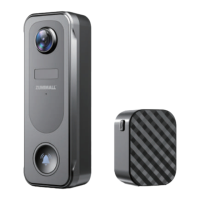
2. Meet the Doorbell ---------------------------------
3. Meet the Chime -----------------------------------
4. Download and Install App --------------------------
5. Account Registration ------------------------------
6. Add Camera to App -------------------------------
6.1 Preparations for Connection ---------------------
6.2 Connect Camera to App ------------------------
7. Wireless Chime Connection ------------------------
8. Install the Video Doorbell ---------------------------
9. Recharge the Video Doorbell -----------------------
10. Troubleshooting ----------------------------------
P1
P2
P2
P3
P4
P4
P4
P5
P7
P9
P10
P11


 To Next Page