5. Account Registration
6. Add Camera to App
6.1 Preparations for connection
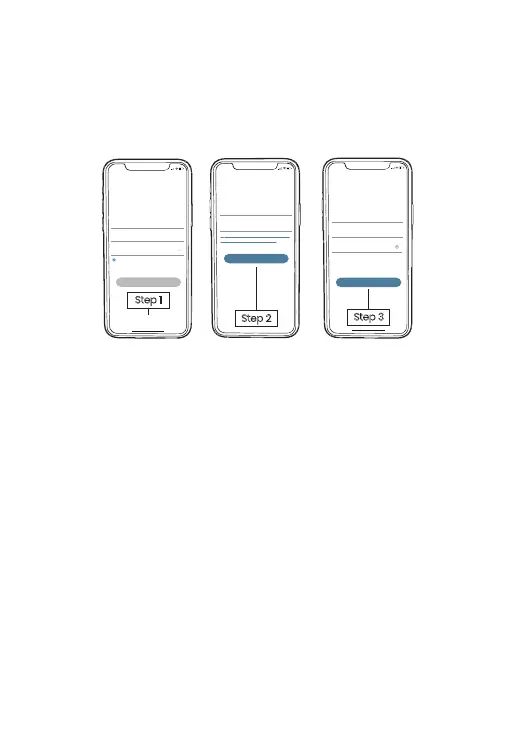
New user needs to sign up ZUMIMALL App with email
address. Click 'Sign up' to create a New Account and follow
the steps to complete registration.
Step 1
5:51
Log in
Forgot password?Remember password
Welcome
United States
Account
Passward
No account yet? Sign up now
Step 3
5:51
<
2365894254@qq.com
Account
Nickname
Password
Password: 8-16 digits, including two types of
numbers,upper or lower case letters and
characters at least
Sign Up
Done
Step 2
5:51
<
Registration means agreement with the user
agreement and privacy agreement.
Sign Up
United States
Email
Next
① Insert a Micro SD Card into the camera to save videoclips
or you can start the 7-day free cloud service.
Without Micro SD Card or cloud service, no video will be
saved.
② The Doorbell only works with 2.4GHz Wi-Fi, not support
5GHz.
③ When connecting to the network, please take the Doorbell
close to the router.
(Recommended within 10-15ft).
4


 To Next Page