Page 24 For technical questions, please call 1-888-866-5797. Item 64576
SAFETY MAINTENANCESETUP OPERATIONOVERVIEW
Maintenance
There are no user serviceable parts. Have the Scanner serviced by a qualified repair person using
only identical replacement parts. This will ensure that the safety of the equipment is maintained.
Maintenance
TO PREVENT SERIOUS INJURY FROM ELECTRIC SHOCK:
Shut down the Scanner Tablet and unplug the Power Adapter from its electrical outlet
before inspection, maintenance, or cleaning.
1� PERIODICALLY, inspect the general condition
of the Scanner components� Check for:
• loose hardware
• damaged cord/electrical wiring
• cracked or broken parts
• any other condition that may
affect its safe operation�
2� PERIODICALLY, wipe external surfaces with
clean cloth� Clean the Scanner Tablet screen
with soft cloth and mild glass cleaner�
Note: Do not use harsh chemicals or abrasive
cleansers on any Scanner components�
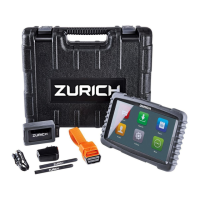
3� Store Scanner components in the Carry Case
in a dry, locked area out of the reach of children�


 To Next Page
 Loading...