EasyManua.ls Logo

ZyXEL Communications ES-1124 - User Manual

ZyXEL Communications ES-1124
30 pages
Print Icon
To Next Page IconTo Next Page
Loading...
Dimension
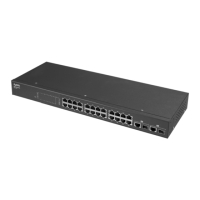
ES-1124
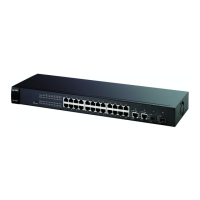
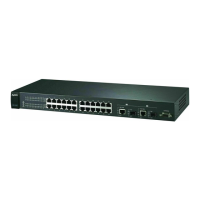
Unmanaged 24-port Ethernet Switch with 4 Gigabit Ports
User’s Guide
April 2004
Version 1.00

Questions and Answers

Summary

Customer Support

Contacting Customer Support

Guidance on what information to have ready when contacting support.

Chapter 1 Getting to Know Your Switch

Introduction to ES-1124

Introduction to the ES-1124 as a multi-port switch for workgroup networks.

Key Features of ES-1124

Lists the key features and specifications of the ES-1124 switch.

Chapter 2 Hardware Description and Installation

Desktop Installation Guide

Step-by-step guide for installing the switch in a desktop environment.

Rack-Mount Installation Guide

Instructions for mounting the switch in a standard EIA 19-inch rack.

Chapter 3 Troubleshooting

Troubleshooting Introduction

Introduction to troubleshooting the switch using LEDs.

Improper Network Cabling and Topology

Common network cabling and topology issues affecting performance.

Product Specifications

Summary

Customer Support

Contacting Customer Support

Guidance on what information to have ready when contacting support.

Chapter 1 Getting to Know Your Switch

Introduction to ES-1124

Introduction to the ES-1124 as a multi-port switch for workgroup networks.

Key Features of ES-1124

Lists the key features and specifications of the ES-1124 switch.

Chapter 2 Hardware Description and Installation

Desktop Installation Guide

Step-by-step guide for installing the switch in a desktop environment.

Rack-Mount Installation Guide

Instructions for mounting the switch in a standard EIA 19-inch rack.

Chapter 3 Troubleshooting

Troubleshooting Introduction

Introduction to troubleshooting the switch using LEDs.

Improper Network Cabling and Topology

Common network cabling and topology issues affecting performance.

Product Specifications

ZyXEL Communications ES-1124 Specifications

General IconGeneral
Switching Capacity4.8 Gbps
Forwarding Rate3.57 Mpps
Ports24 x 10/100 Mbps RJ-45
MAC Address Table8K
Power Supply100-240 V AC, 50/60 Hz
Jumbo Frame Support9K bytes
StandardsIEEE 802.3, IEEE 802.3u, IEEE 802.3x

Related product manuals