247Security Inc. | 4400 North Point Parkway, Suite # 158, Alpharetta, GA 30022, USA | 1-866-693-7492 | www.247securityinc.com
mDVR303
USERS MANUAL
28
5.6 CAMERA CONFIGURATION MENUS
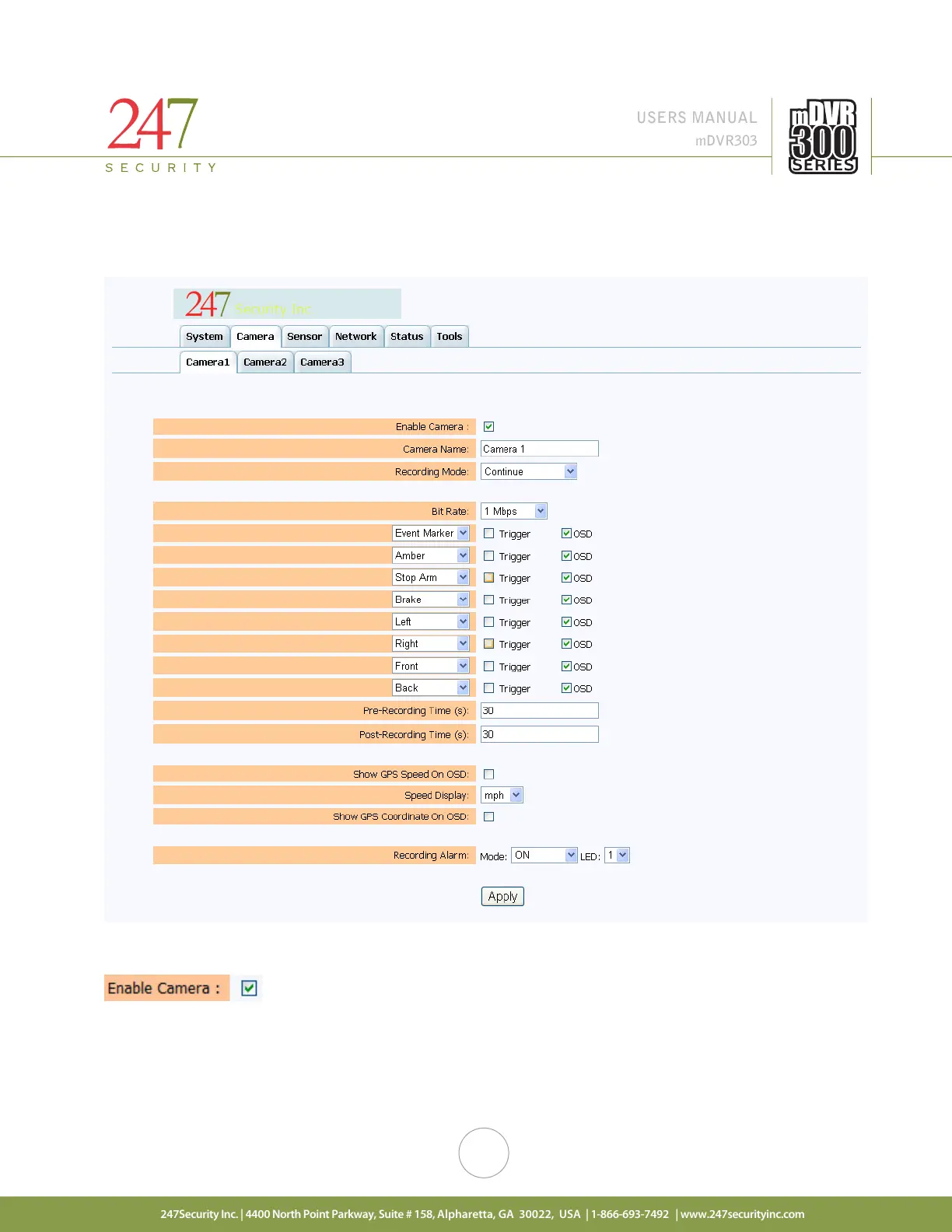
The mDVR303 series is available in the 3 camera input configuration. You can select any camera by
clicking on its tab where a sub-menu is available for configuration.
5.6.1. ENABLE CAMERA
Click the check box to enable or disable the camera input.



 To Next Page