247securityinc.com
1.866.693.7492
247securityinc.com | 1.866.693.7492 | 1455 Alderman Drive, Alpharetta GA 30005, USA
Pg.18 of 47
CONFIGURATION MENUS
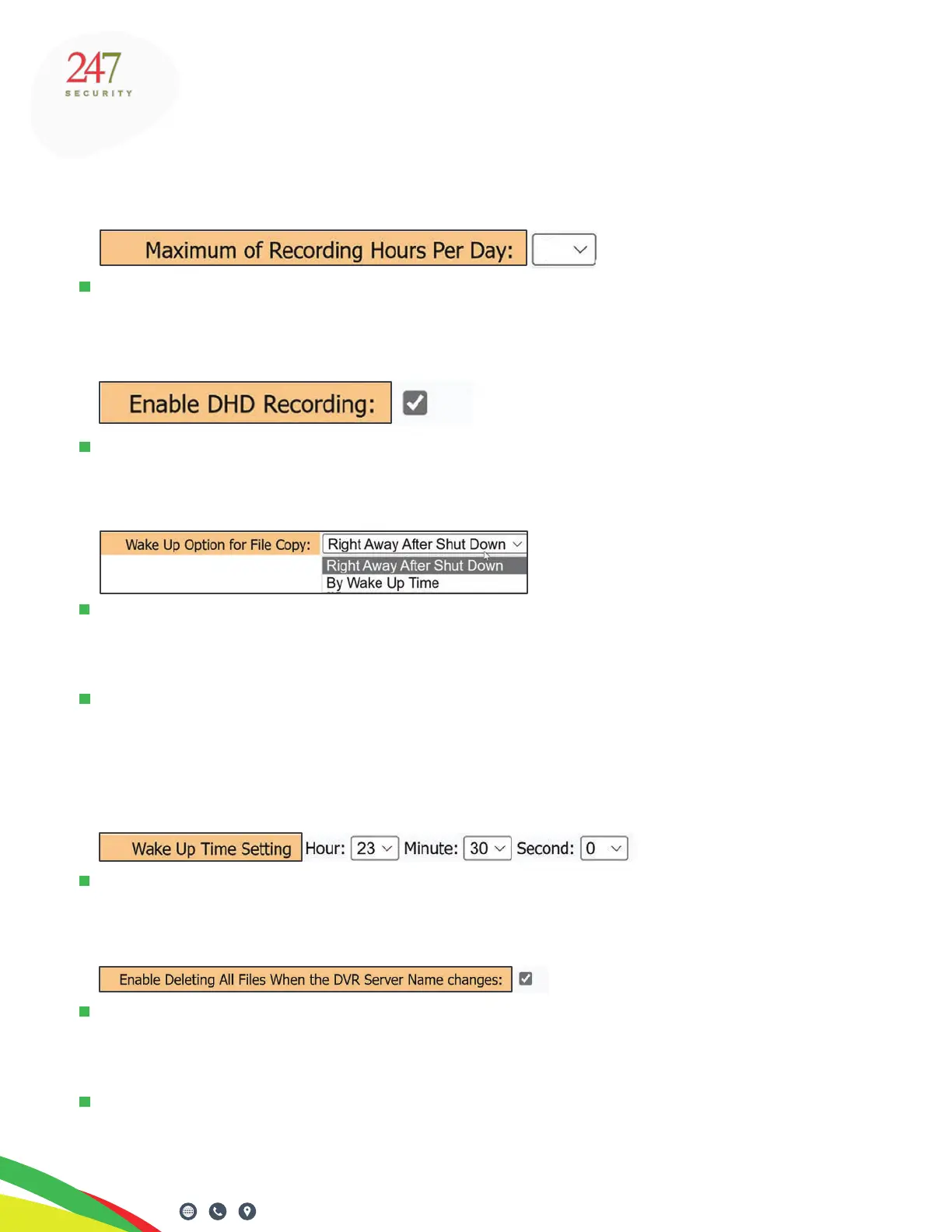
MAXIMUM OF RECORDING HOURS PER DAY
It’s safe to keep this set to 10 hours. Should the full day’s recording exceed 10 hours, ZEUS
TITAN will delete the oldest les from SSD disk
ENABLE DHD RECORDING
Check this box for DHD removable drives. The default setting is checked. If this is not checked,
secondary media must be used, such as SD cards, which is not recommended.
WAKE UP OPTION FOR FILE COPY
This setting denes when TITAN will copy les from the SSD to the HDD (both are inside the
DHD and DHD2 devices). “Right Away After Shutdown” occurs at the end of the Shut Down
period as set in the Shut Down Delay eld above, and before the TITAN enters Stand-by mode.
If there is a TouchDown system, set this to “By Wake Up Time”. It allows TouchDown processes
to begin and nish before the SSD copies video to the HDD. Titan will turn on at the set time set
in the next eld, and copy SSD les to the HDD. If there’s no TouchDown system, set this to
“Right Away After Shut Down”.
WAKE UP TIME SETTING
If By Wake Up Time is selected above, this eld sets the Wake Up Time when TITAN will turn on
and start moving video from the SSD to the HDD. This is a 24-hour clock format.
ENABLE DELETING ALL FILES WHEN DVR SERVER NAME CHANGES
This option, when ticked, deletes all the recordings and les on the DHD media when the
“DVR Server Name” changes, or if a DHD from a dierent DVR is inserted. “DVR Server Name”
is the name of the TITAN DVR; each DVR within a eet should have a unique name.
For example, if a number of drives are taken from several buses, and are returned to dierent
DVRs, all data will be erased if this is checked. If this is a concern, make sure that this box remains
unchecked. Default is unchecked. This is a security feature to prevent unauthorized access to video.
10



 To Next Page