247securityinc.com
1.866.693.7492
247securityinc.com | 1.866.693.7492 | 1455 Alderman Drive, Alpharetta GA 30005, USA
Pg.38 of 47
Shutdown
There is a built-in delay during shutdown, during which the les recorded to the SSD will copy to the
HDD. When the le copy is completed, the SDD is re-formatted to FAT32, erasing all data on the SSD
and preparing it for the next session. Should something interrupt this transfer, and the les from the
SSD are not completely copied to the HDD, the SSD will not be formatted. This preserves the integrity
of the video and data, until it can be copied to the HDD.
If the media is removed from the DVR before the le transfer completes (I.e., If the POWER or REC
LEDs are on), or if Live View or Play Archive is accessed, the le copy from SSD to HDD is paused.
After Live View or Play Archive is disconnected, the le copy from SSD to HDD will resume.
If you are set up with TouchDown, Zeus TITAN will start uploading requested video and data from the
HDD to your TouchDown server. Note that this feature can be enabled/disabled on the setup page.
Unlocking the door
Unlocking the door will initiate a shut-down procedure:
1. Zeus TITAN stops recording or transferring data, all resources are released.
2. All disks are un-mounted.
3. Power is turned o.
REFERENCE APPENDIX
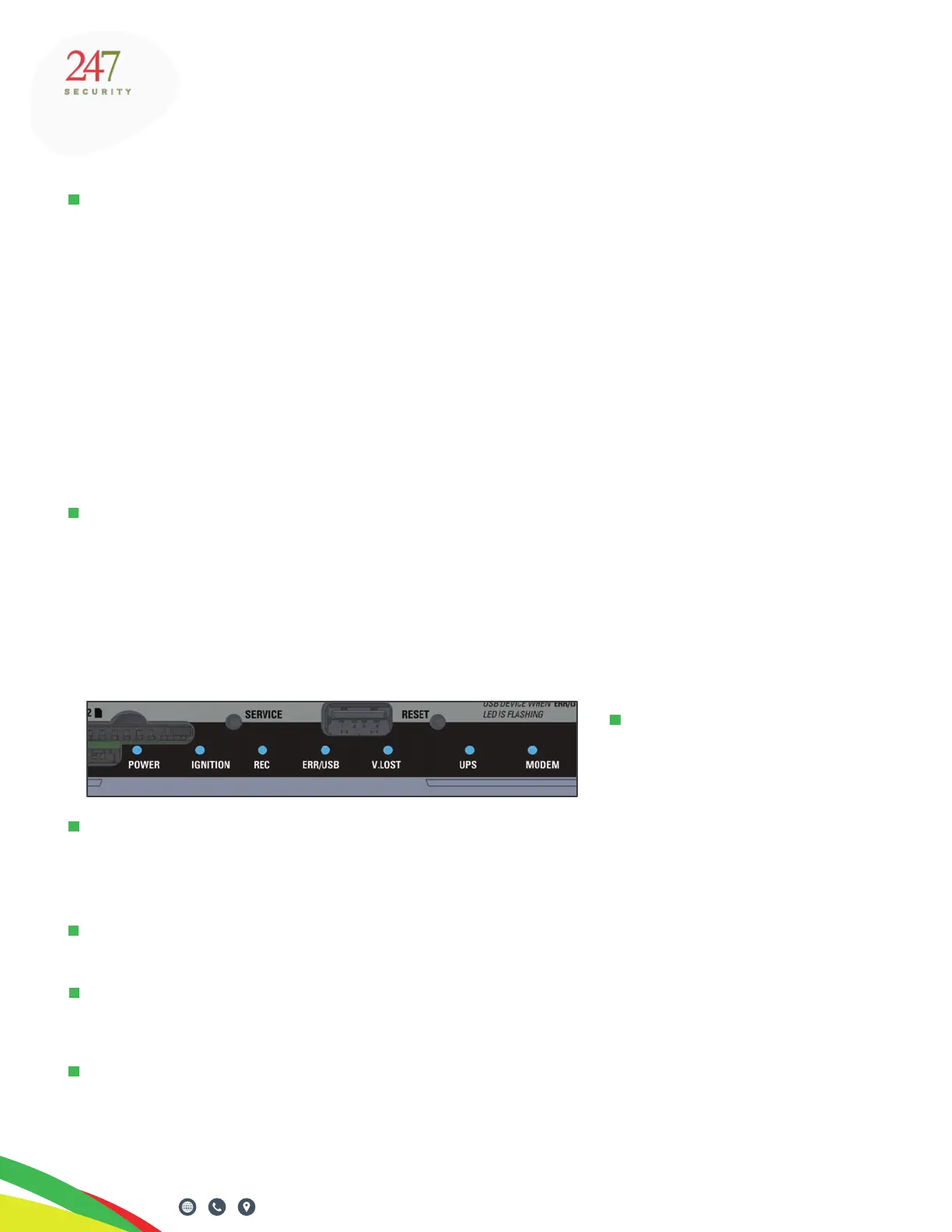
STATUS INDICATORS
POWER
This LED indicates that system
power is on (when lit).
IGNITION
When lit solid this LED indicates that the vehicle’s ignition has been turned on, which will then turn on
the DVR. If this LED is blinking slowly, the ignition has been turned on and the DVR is powering on.
The LED will blink very quickly when ignition is turned o and the DVR is powering o.
REC
When lit this LED indicates the DVR is recording.
ERR/USB
When lit this LED noties the operator that the system has encountered an error and cannot continue
normal operation. Please call tech support for troubleshooting procedures.
V.LOST
This LED indicates that TITAN has lost a video signal. For example, a camera cable is damaged or is
not securely connected, or a camera failure has occurred.



 To Next Page