2 EASY
-19-
DR MODULE
a. In standby mode, show the Master DELETE Card, double beep will sound
b. Show the Master ADD Card, double beep will sound
c. Show the Master DELETE Card again single beep will sound. After
approximately 10 sec, it willreturntostandby and all registered cards/keyfobs
will be deleted
iii) Deleting All Not Present Cards at Once
i) By PC- manage cards/fobs via software (coming soon)
ii) By SD Card- Clone registered cards to a new door station (if door station
was replaced for some reason). Power Off and power On the door station, flip
DIP-6 into On position, insert micro SD card and it will backup all registered
cards/keyfobs.
Power On new door station, flip DIP6 into On position, insert SD card and it will
upload Card Database into new door station. Remove SD card, flip DIP6 Off
iiii) Card Database
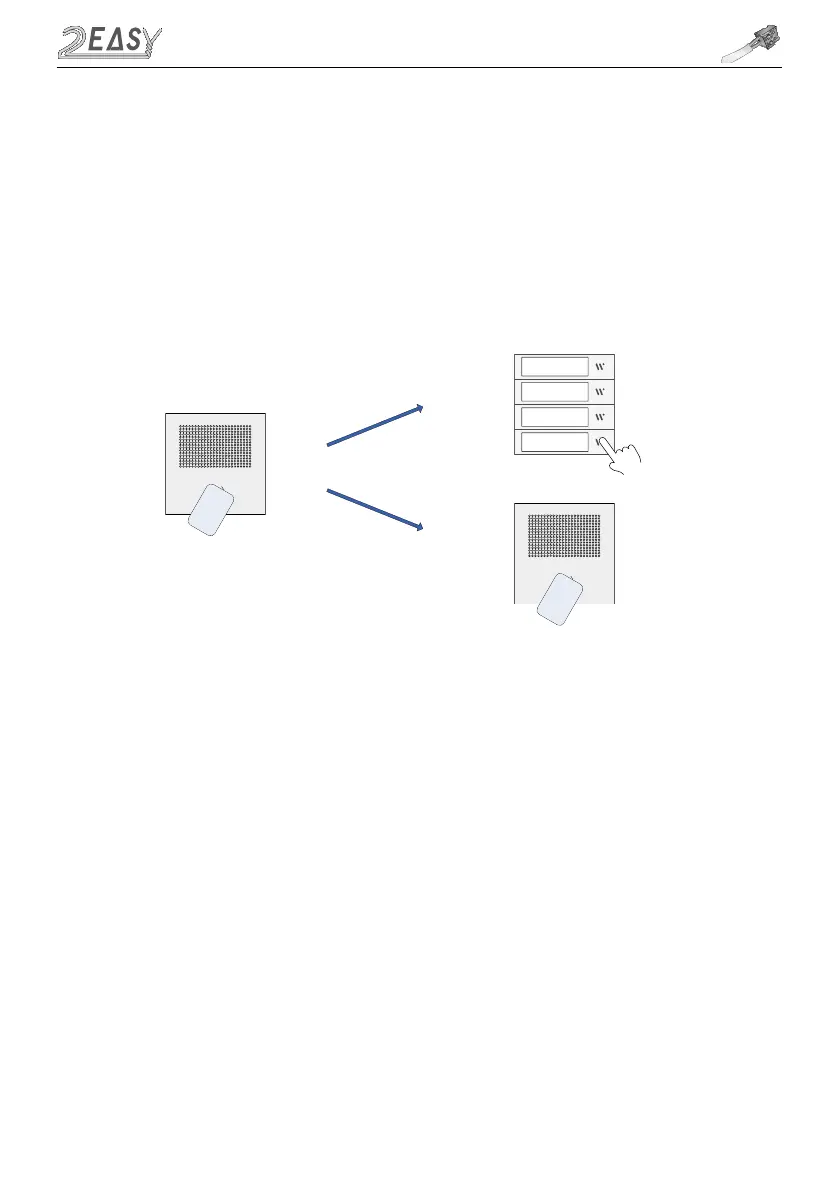
ii) Delete User Card
a. Show the Master DELETE Card to the Proximity Reader, double beep will
sound
b. For Door Station with Direct Call buttons: if card is not present, press desired
button and all ID cards registered to that flat will be deleted. If card is present,
directly show the card and it will be deleted. If card was not assigned to direct
button, you will need to use procedure iii below
c. Finish with Master DELETE Card
Ma
ste
r
DELETE
C
a
r
d
Users
C
a
r
d



 To Next Page