8
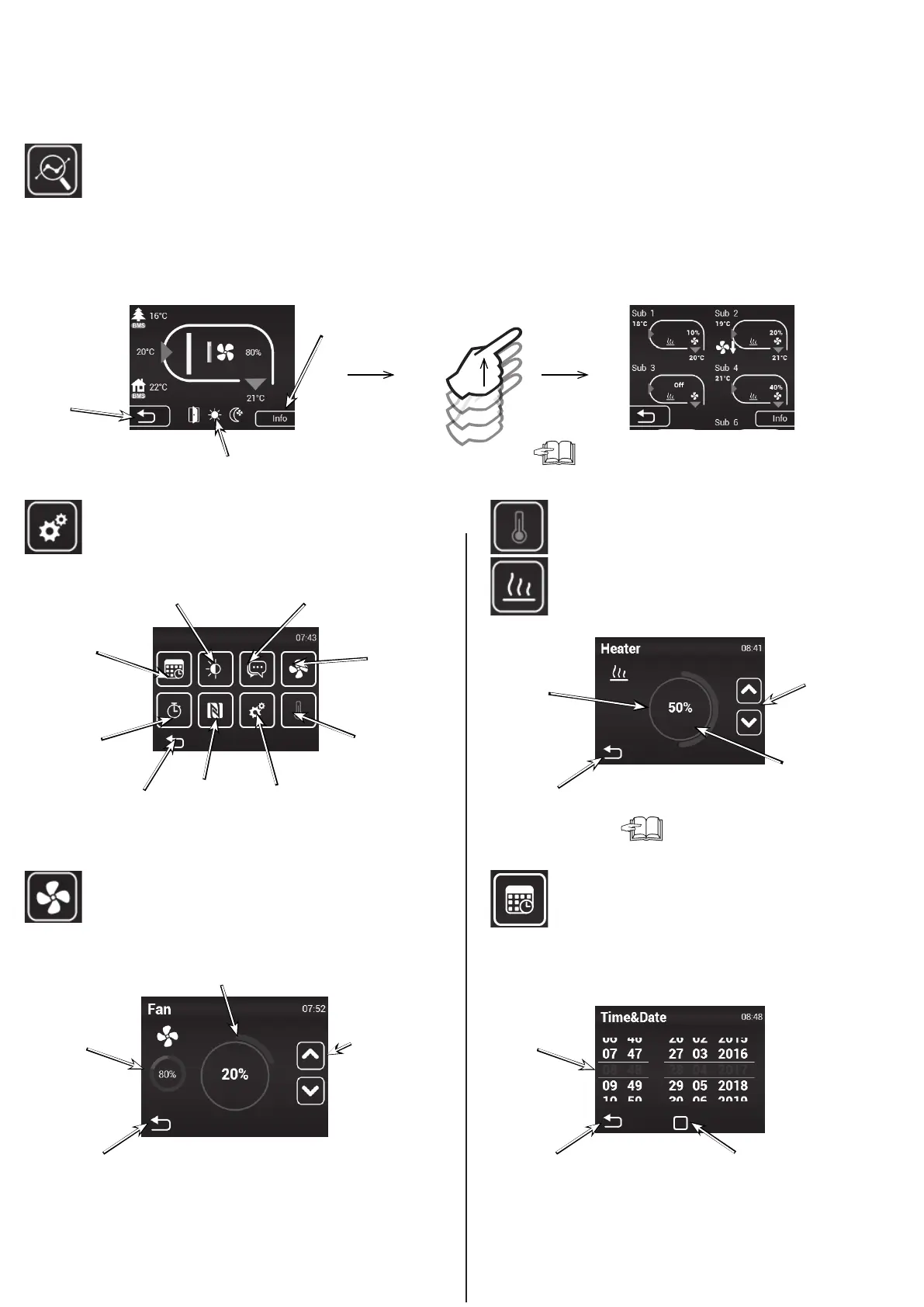
The settings can be found below, under “SUBUNITS”
Current status
Settings MENU
Required temperature
settings with closed doors
Air ow settings with clo-
sed doors
Date and time settings
This screen show the detailed status of the opening and the sensor values:
• Current air-ow settings (step or %), information icons
• Air temperature at intake*, exhaust*, room temperature* and outside temperature* (* – if the relevant sensors are installed and enabled)
• Heater output settings (if included)
Information on
the type of unit
Indicates heating is blocked
(summer mode)
The information on any connected SLAVE units will be shown here.
It can be accessed moving the screen upwards.
Back to previous
screen
Required temperature
settings
(with closed doors)
Air ow settings
(with closed doors)
Language
Display backlight
Parameters
Date and
time
NFC
Timer
Back to previous
screen
Conrm
+ return
Conrm
+ return
Display required air ow (20%
steps)
Reduce or increase
opening’s air ow (with
closed doors)
Display the
current air ow
status
Current date and time
Reduce or increase
required tempe-
rature
Required temperature
settings
Required output
Manual mode = %
Automatic mode = °C
If the heating is blocked in summer mode
(MENU - SUMMER HEATING), the screen will show a “Sun”
icon and will not allow to select the output.
Conrm
+ return
Back to main screen
4. CONTROL


 To Next Page