Page 34 Instant Replay 2 Owners Manual
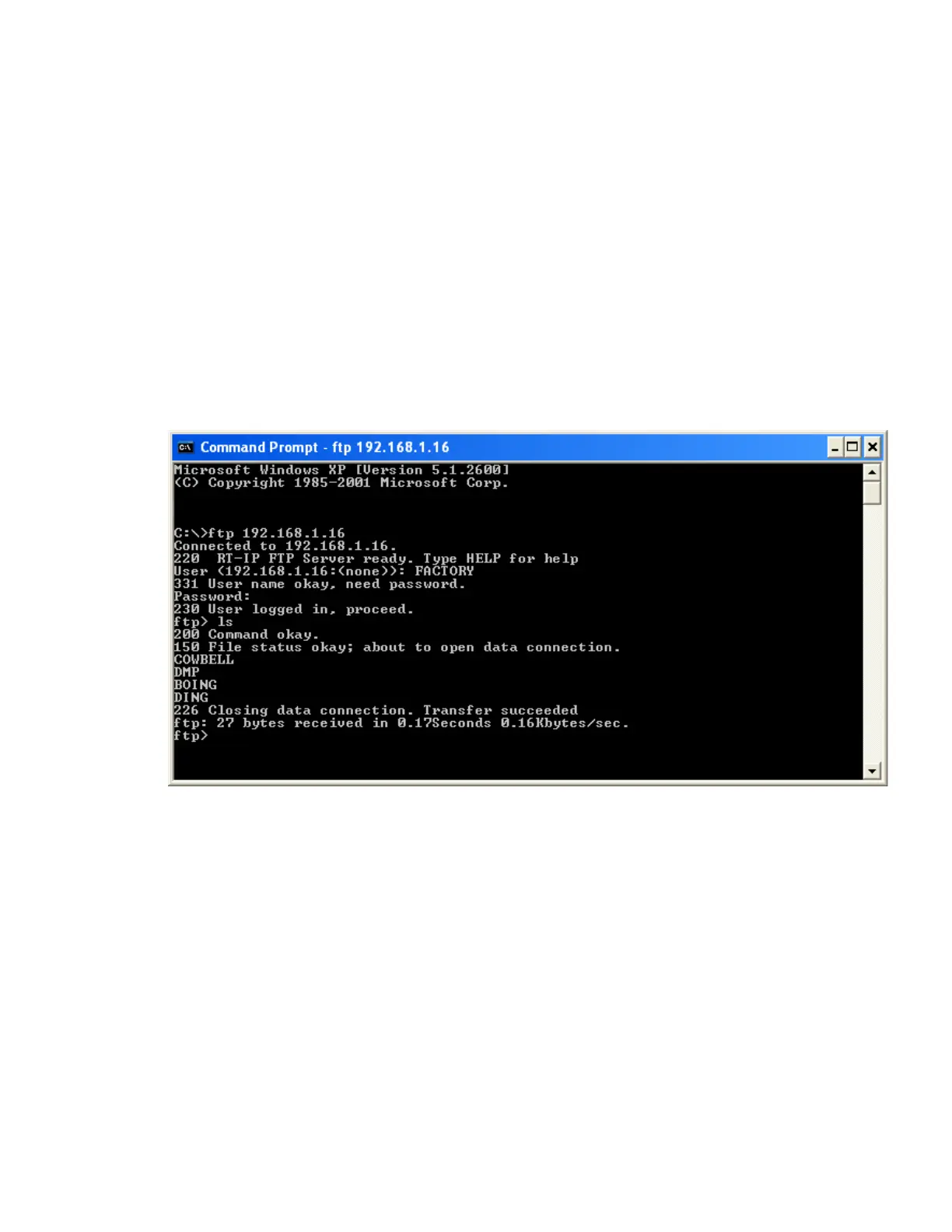
Connecting to Instant Replay using a DOS Client.
1. From a Windows XP or Windows 2K environment, open a DOS Shell as follows.
START->All Programs->Accessories->Command Prompt
From the command prompt, type
ftp <IP ADDRESS>
…where the IP ADDRESS is the address you set your Instant Replay to in the Initial Setup step.
For example 192.168.1.120 would be a valid entry. The display will do the “dots” for you.
2. Type in USER ID when Prompted.
3. Type in the PASSWORD when prompted.
Downloading a file from Instant Replay to your host:
Log in per the example above. Type:
Get <FILENAME>
At the FTP prompt:


 To Next Page