Page 38 Instant Replay 2 Owners Manual
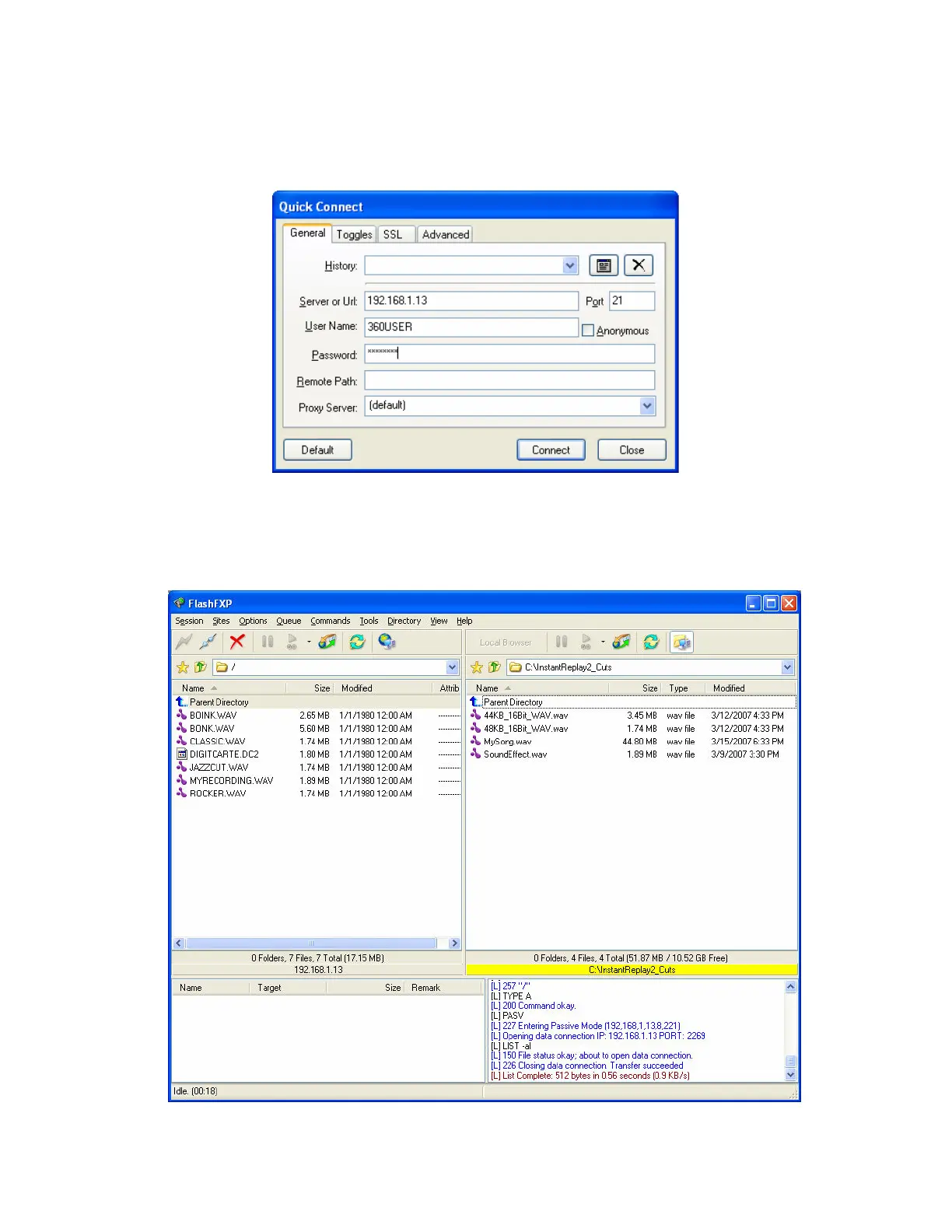
The login dialog box appears. Set the IP address, User ID and Password fields to the values
you configured your Instant Replay to under the Networking menu.
Upload/Download files
You can move files from Instant Replay to your computer simply by dragging them across
to the listing on the right side of the screen. Likewise you can move files from your
computer to Instant Replay by dragging them from left to right.


 To Next Page