15
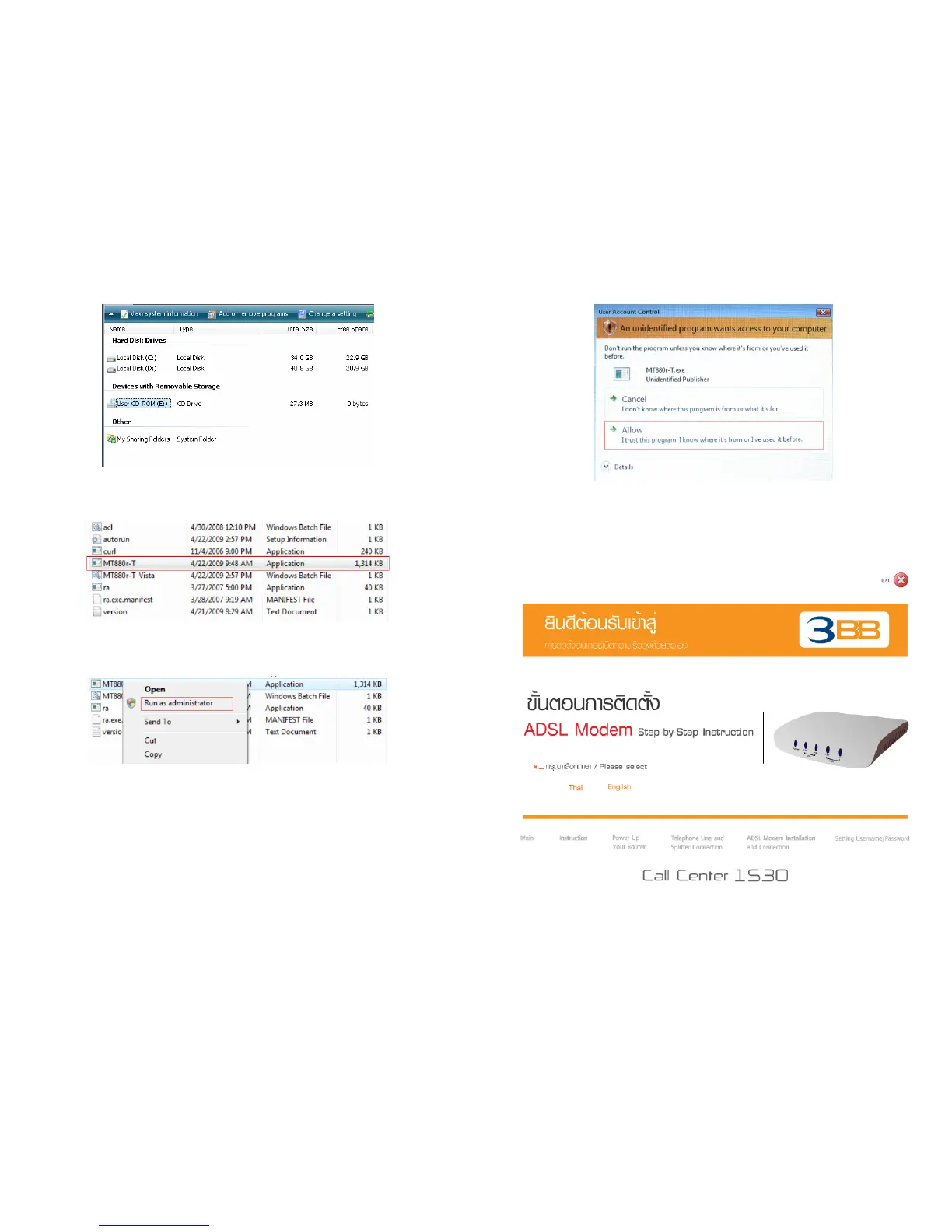
- Double-click at User CD-ROM drive.
Figure (26)
- Open the CD-ROM
Drive
and right-click on the icon of the MT880r-T file.
Figure (27)
- Choose
Run as administrator
from shortcut menu as shown in Figure (28).
Figure (28)
16
- Click
Allow
in the displayed User Account Control as shown in Figure (29).
Figure (29)
After that display will show as Figure (30)
and please process as step 3.
3. The display will show as Figure (30)
Figure (30)



 To Next Page