12
z The AC supply used by the switch is separate from that used by
units that generate high levels of AC noise, for example air
conditioning units.
z No more than four switch units are placed on top of one another,
if the units are free-standing.
Rack Mounting
The Switch is 1U high and fits in most standard 19-inch racks.
z Disconnect all cables from the switch before continuing. Remove
all self adhesive pads from the underside of the switch if they
have been fitted.
z If you use a shelf or support ensure that it will not obstruct the air
flow through the side panels of the switch.
To rack-mount the switch:
1) Place the switch the right way up on a hard flat surface, with the
front facing towards you.
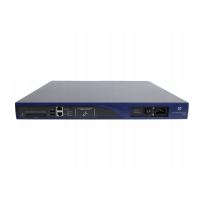
2) Locate a securing bracket over the mounting holes on one side of
the front of the switch, as shown in
Figure 2-1.
3) Insert the two screws and tighten with a suitable screwdriver.






 To Next Page