13
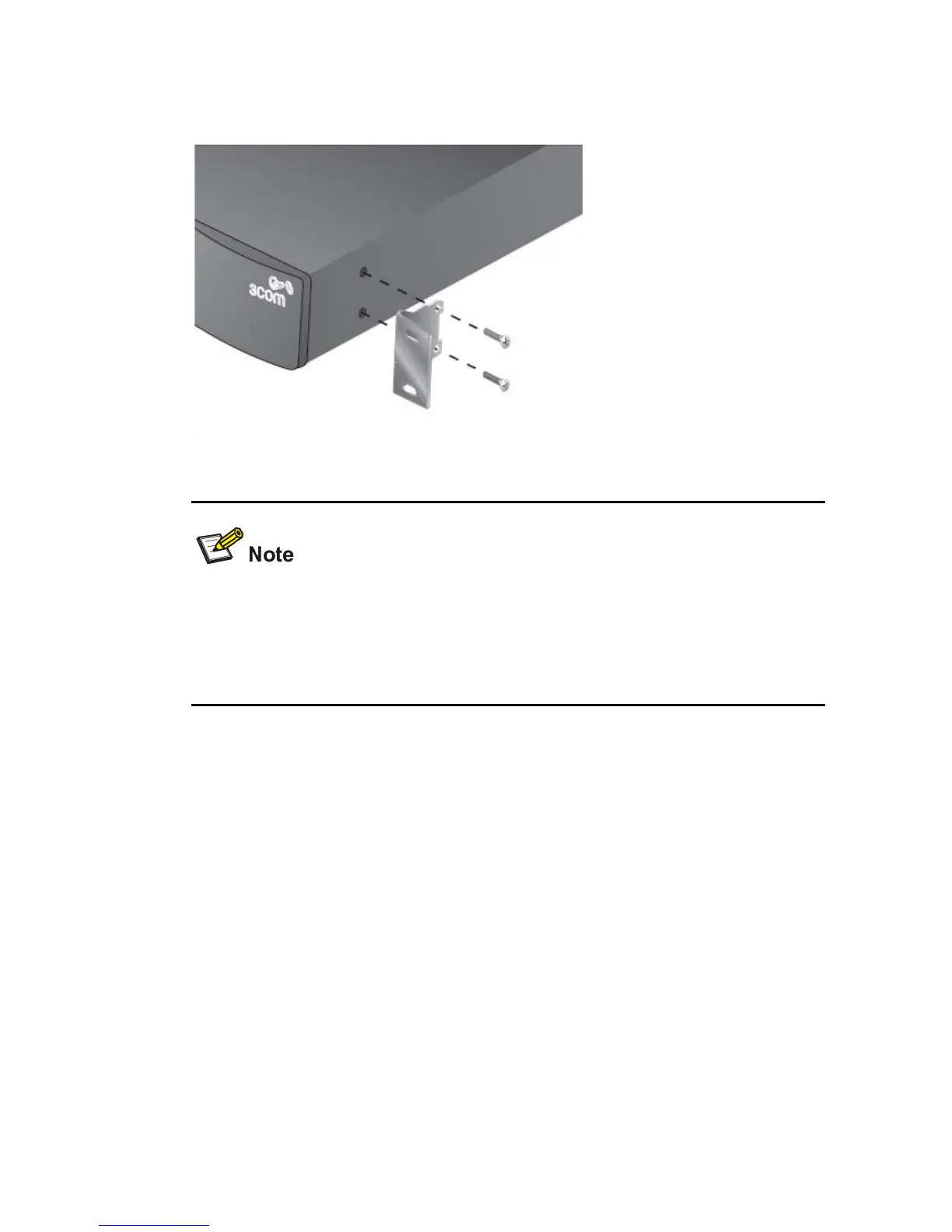
Figure 2-1 Fitting a front bracket for rack-mounting
You must use the screws supplied with the securing brackets.
Damage caused to the unit by using incorrect screws invalidates your
warranty.
4) Repeat steps 2 and 3 for the other side of the switch.
5) Insert the switch into the 19-inch rack and secure with suitable
screws. Ensure that ventilation holes are not obstructed.
6) Reconnect network cables.
Powering On
The following steps describe how to get the switch powered-on and
ready for operation.
1) Check the network connections and cables.
2) Connect the power supply cable to the appropriate power socket
located on the rear panel of the unit.






 To Next Page