3Dconnexion CadMouse Compact | 7
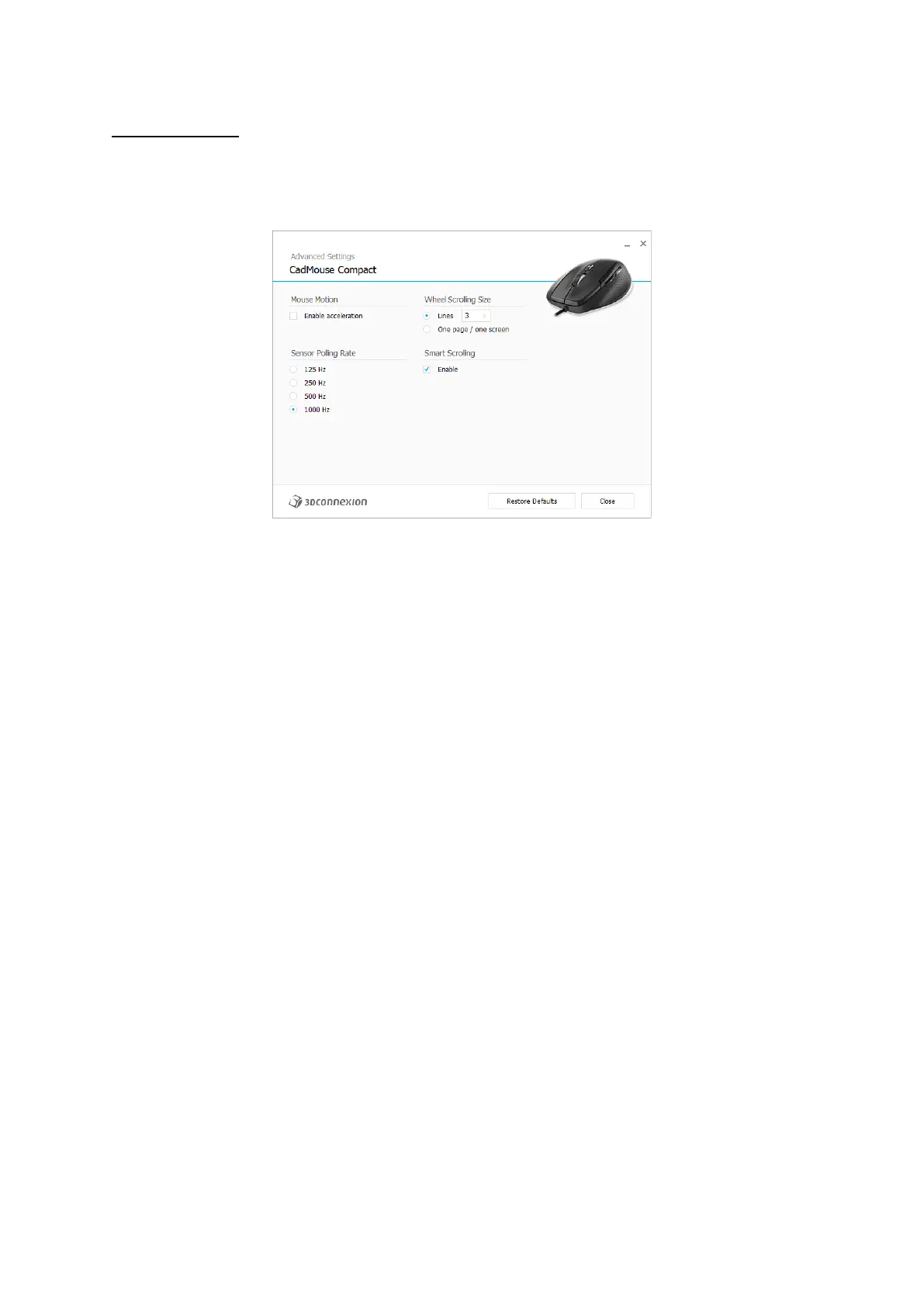
Advanced Settings
Settings that can be configured in the Advanced Settings panel are not application-specific but are the same for all
applications system-wide.
Mouse Motion
Enable Acceleration: If the mouse moves slow or fast, the cursor will move even slower or faster across the screen.
Note: Recommended setting is disabled.
Sensor Polling Rate
Select the frequency at which the CadMouse Pro communicates with your PC. A higher frequency results in more accurate
tracking and smoother movement of the cursor.
Mouse Wheel Speed
Lines: Select the number of lines scrolled when the mouse wheel is moved 1 increment.
One page / one screen: Moving the mouse wheel 1 increment will scroll to the next/previous page.
Smart Scrolling
Adjustable smart scrolling speed with inertia in documents and browsers is ideal for working in many-paged documents,
allowing the user to find specific pages quickly and easily.


 To Next Page