
 Need help?
Do you have a question about the 3DConnexion SpaceMouse Compact and is the answer not in the manual?
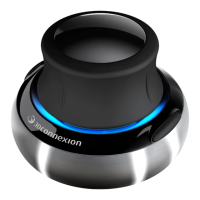
Position the SpaceMouse Compact relative to your standard mouse and keyboard for optimal usage.
Guidance on correct hand placement on the controller cap for precise and effortless control.
Steps for connecting the device, downloading software, installing drivers, and initial familiarization.
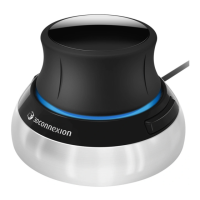
Details the functionality of the controller cap, its Six-Degrees-of-Freedom sensor, and navigation modes.
Explains the two programmable buttons, automatic command assignment, and personalization options.
How to adjust the overall speed of the device using a slider for force or torque application.
 General
| Connection Type | USB |
|---|---|
| Number of Buttons | 2 |
| Compatibility | Windows, macOS |
| Cable Length | 1.5 m |
| Warranty | 2 years |
| Dimensions | 77 x 77 x 54 mm |
| Weight | 480 g |
| Sensor Type | 6DoF (6 Degrees of Freedom) sensor |

 To Next Page