3Dconnexion SpaceMouse Compact | 9
Assigning Commands using the flyout window
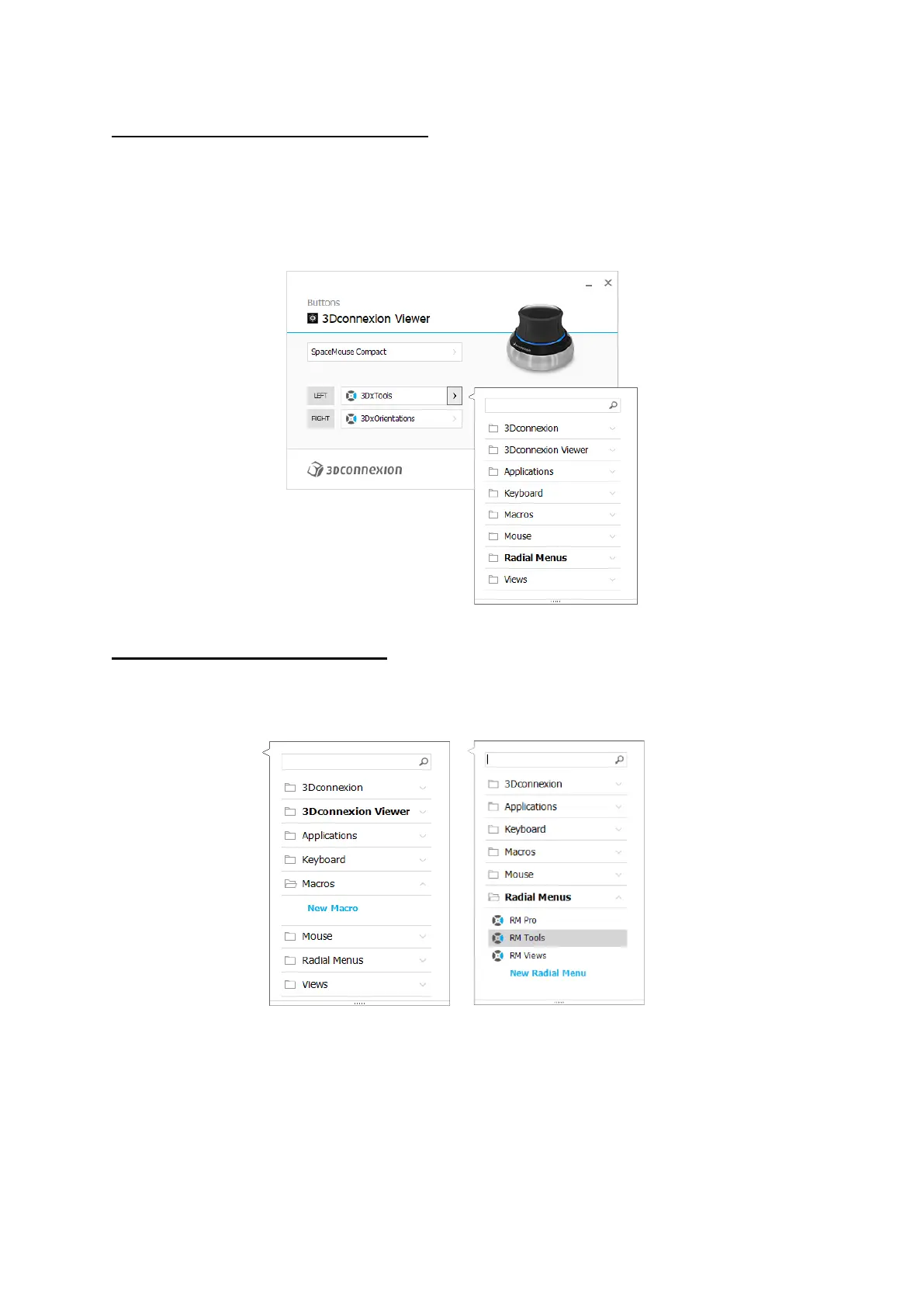
Clicking on the > arrow on the right-hand side of the button field opens a flyout window for that SpaceMouse button:
The flyout window allows you to browse or search for commands in different categories. When you select a command by
clicking on it, it is automatically assigned to the corresponding SpaceMouse button. The category of the command that it is
currently assigned to is highlighted in bold.
Creating Macros and Radial Menus
To create a new macro or radial menu, first click on the > arrow on the right of the key field, then expand the Macro/Radial
Menu category and click on New Macro/New Radial Menu.



 To Next Page