3Dconnexion SpaceMouse Compact | 8
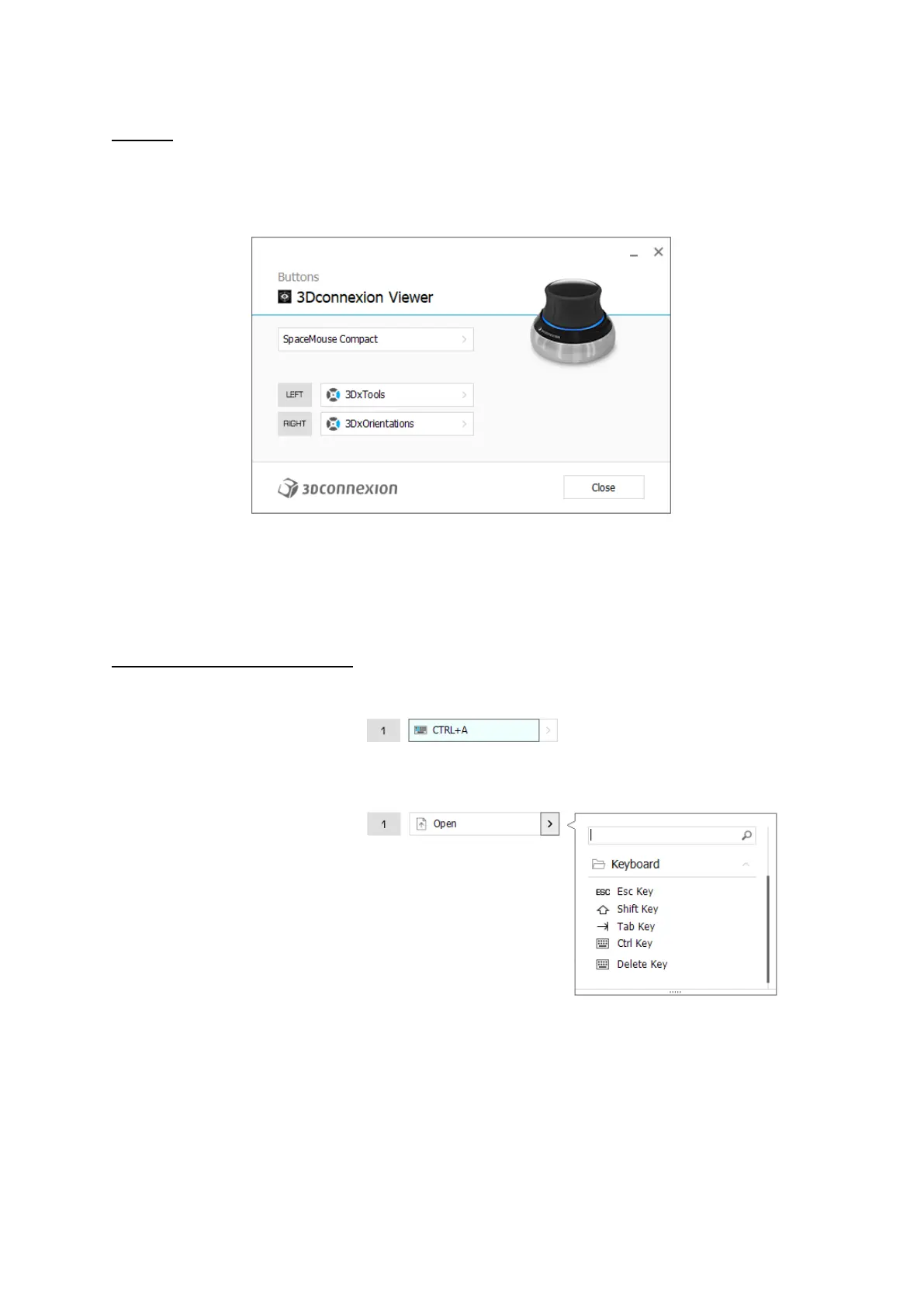
Buttons
The Buttons panel within 3Dconnexion Settings allows you to assign commands, macros or, radial menus. The name of the
active application is displayed at the top of the panel. Any setting change is relevant to this application only.
A note about Environment sensitivity: Some applications feature environment sensitive key mapping. In those applications,
you can have different key assignments depending on the currently active environment.
Assigning Quick Macros to buttons
Click on the text in the input field and press the required key or key combination to quickly assign a keystroke or macro.
When a macro is created, it always sends a press and release command. If you want to assign a press and hold command
instead (for example Ctrl or Shift), you should use the Keyboard command category in the flyout window.


 To Next Page