
 Need help?
Do you have a question about the 3DConnexion CadMouse Pro and is the answer not in the manual?
Guides on placing the CadMouse Pro on the right side of the keyboard for optimal use.
Steps for connecting the mouse, downloading software, and installing drivers.
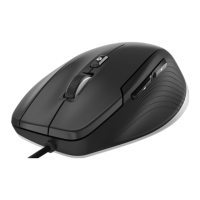
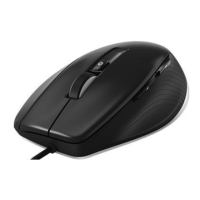
Details the primary features of the CadMouse Pro, including buttons and the mouse wheel.
Configuration of cursor speed, acceleration, and sensor polling rate for system-wide use.
Assigning commands, macros, or radial menus to programmable CadMouse buttons.
Overview of applications like Trainer, Manual, Viewer, Collage, Demo, Registration, and Videos.
Details dimensions, weight, operating systems, software, certifications, warranty, and support.
 General
| Device Type | Mouse |
|---|---|
| Model | CadMouse Pro |
| Manufacturer | 3DConnexion |
| Connection Type | Wired |
| Scroll Wheel | Yes |
| Sensor Type | Optical |
| Hand Orientation | Right-handed |
| Cable Length | 1.8 m |
| Weight | 140 g |
| Compatibility | Windows, macOS, Linux |
| Buttons | 7 |
| Dimensions | 126 x 74 x 44 mm |

 To Next Page