9
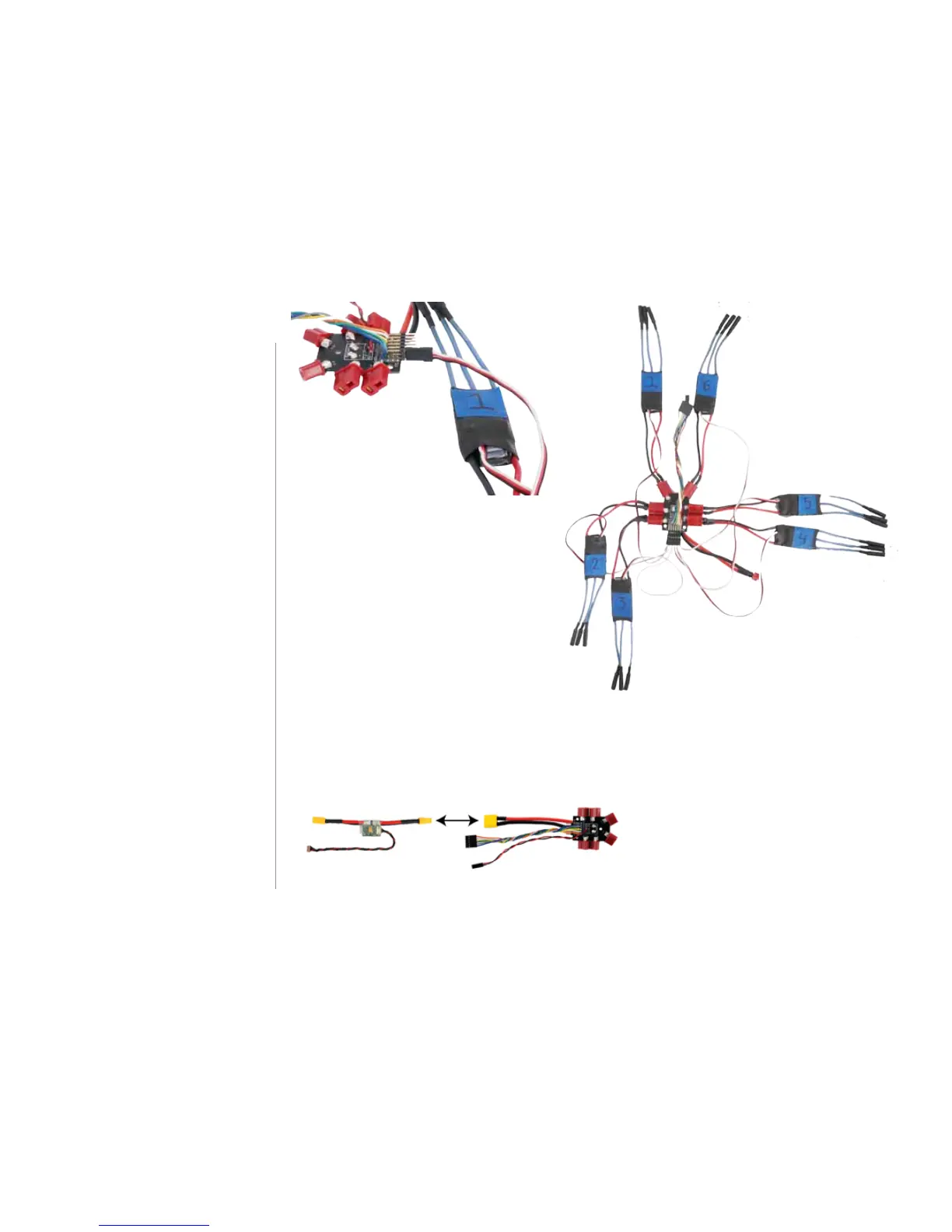
3 Connect ESCs to PDB
Connect the Deans connectors
(red) on the ESCs to the Deans
connectors on the power distribution
board (PDB) in any order.
Take a look at the PDB and find the
pins labelled M1 through M6
(motors 1 through 6), and make a
note of which color wire connects to
each. Now connect the three-wire
cables from each ESC to these pins
on the PDB according to the ESC
numbers. This is where the order is
critical. Connect the ESC that you
labelled as “1” to the pins on the PDB
labelled “M1”. Orient the cable with
the white wire at the top (farthest
from the base of the board) and the
black wire at the bottom (closest to
the base of the board).
4 Connect PDB to power module
Attach the XT60 connector (yellow)
on the PDB to the XT60 connector on
the power module.



 To Next Page