9
GB English
9. Custom Confi guration
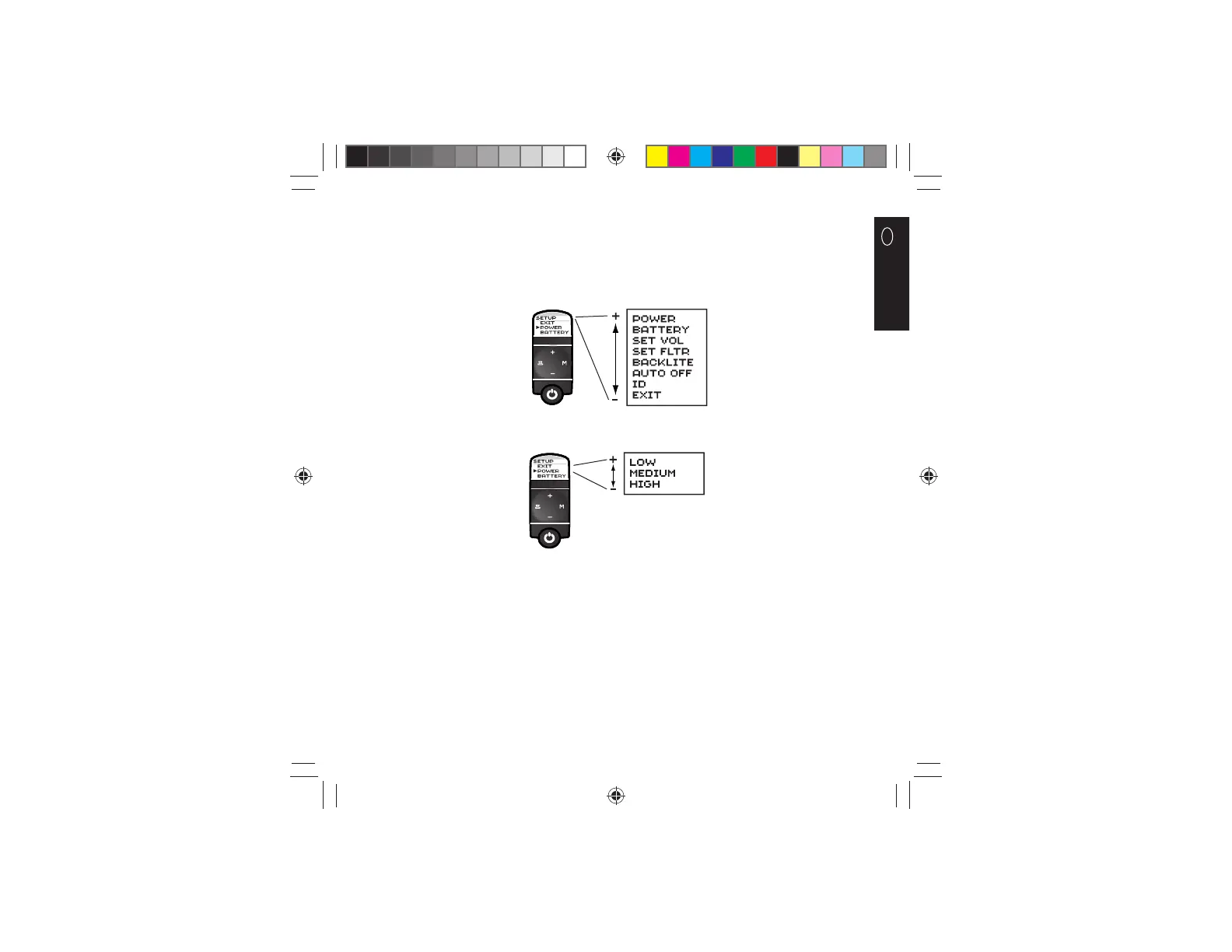
The Model 3100 stethoscope has several operational settings that can be changed using its confi guration menu system.
Within this menu system, the (+) and (-) buttons are used for scrolling and the (M) button is used for selecting options. The
Filter button acts an “escape” key, used for returning to the previous menu or to the operating mode of the stethoscope.
To enter the Setup Menu: Depress and release the (M) button. This will display a menu of setup options. (NOTE: Only 3
options will visible at a time. All options can be viewed in sequence upon scrolling with either the (+) or (-) buttons.)
To select the power setting: Select the “POWER” option in the Setup menu. Use the (-) and (+) buttons to scroll through the
list of power settings. Press and release the (M) button to select a setting.
34870378097.indd 934870378097.indd 9 12/17/09 4:31:04 PM12/17/09 4:31:04 PM












 To Next Page