Peltor
™
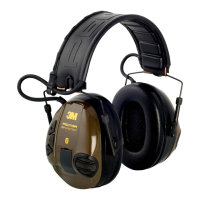
WS Lite-Com
™
User’s manual
Wireless communication headset for 8 radio channels
in the 446 MHz frequency range
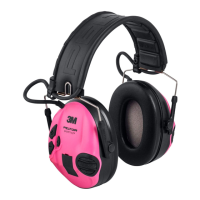
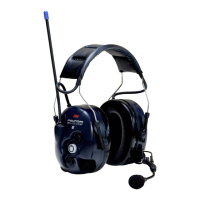
PELTOR WS Lite-Com
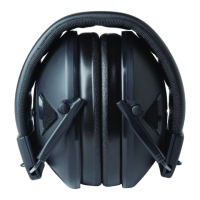
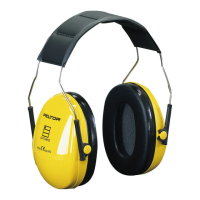
MT53H7A4410WS5 (headband)
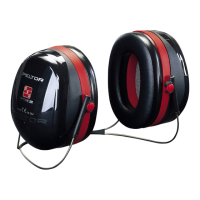
MT53H7B4410WS5 (behind the neck band)
MT53H7P3E4410WS5 (helmet attachment)
TECHNICAL DATA
Batteries: Peltor ACK051 or 2 x size AA batteries
Weight: MT53H7A4410WS5, 462 g (incl. ACK051)
MT53H7B4410WS5, 449 g (incl. ACK051)
MT53H7P3E4410WS5, 446 g (incl. ACK051)
Temperature restrictions: Operating: -20°C – +55°C, Storage: -40°C – +55°C
Material: Headbands: Steel
Cushions: PVC
Foam: PVC
Bluetooth
®
Frequency: 2.4 GHz
Bluetooth version: V2.1+EDR
Proles: HS/HF and A2DP
Max. output power: 1.5 mW
Radio
Frequency band: 446 MHz
Number of channels: 8 (PMR 446)
Modulation: FM (8K00F3E)
Tone selective squelch: 38 CTCSS tones
Output power: 25/150 mW
Antenna: Integrated
FP3671 Rev. a
3M Occupational Health &
Environmental Safety Division
3M Svenska AB, Box 2341
SE-331 02 Värnamo
Sweden
Phone: +46 (0) 370 65 65 65
Fax: +46 (0) 370 65 65 99
Email: peltorcommunications@mmm.com
Internet: www.3M.com/Peltorcomms
© 3M 2011. All rights reserved.
3M™ Peltor™ WS Lite-Com™ is made in Sweden by 3M Svenska AB,
SE-331 02, Värnamo, Sweden.
3M, Peltor and Peltor WS are trademarks of 3M Corporation, St. Paul,
MN 55144-1000, USA
Bluetooth is trademark of Bluetooth SIG, Kirkland, Washington, USA
Please recycle. Printed in Sweden.
WARNINGS
LEVEL DEPENDENT ATTENUATION
This ear-muff is provided with level-dependent attenuation. The wearer should check correct operation
before use. If distortion or failure is detected, the wearer should refer to the manufacturers advice for
maintenance and replacement of the battery.
Warning - Performance may deteriorate with battery usage. The typical period of continuous use that
can be expected from the ear-muff battery is 12 hours.
Warning - The output of the level-dependent circuit of this hearing protector may exceed the external
sound level.
ELECTRICAL AUDIO INPUT
This ear-muff is provided with electrical audio input. The wearer should check correct operation before
use. If distortion or failure is detected, the wearer should refer to the manufacturer’s advice.
AUDIO OUTPUT
Warning - The output of the electrical audio circuit of this hearing protector may exceed the daily limit
sound level.
ENTERTAINMENT FACILITY
The audibility of warning signals at a specic workplace may be impaired while using the
entertainment facility.
HYGIENE COVERS
The tting of hygiene covers (HY100A) to the cushions may affect the acoustic performance
of the earmuffs.

 Need help?
 General

 To Next Page