EasyManua.ls Logo

3M SFT-200 - User Manual

3M SFT-200
34 pages
Print Icon
To Next Page IconTo Next Page
Loading...
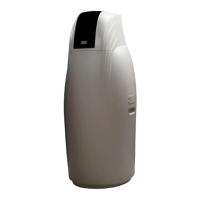
3M SFT Softener
Installation and Operating Manual for model:
SFT - 150/200
Please read this user manual carefully
and keep this manual properly
.

Questions and Answers

  • W
    Willie AdamsAug 17, 2025
    What to do if my 3M Water Dispenser timer does not display time of day?
    • R
      Ricardo DuncanAug 17, 2025
      If the timer on your 3M Water Dispenser isn't showing the time, first, ensure the AC adapter is properly connected to a working outlet. If it's still not displaying, the AC adapter may be defective and need replacement. Alternatively, the PC board might be defective and require replacement.
  • E
    Eric CookAug 20, 2025
    Why is my 3M SFT-200 Water Dispenser not producing soft water?
    • R
      Ryan FoxAug 20, 2025
      If your 3M Water Dispenser isn't producing soft water, check the following: * Ensure the bypass valve is not in the bypass position; restore it to the service state. * Verify that the water pipeline is correctly installed; repair if the import waterway is reversed. * Confirm the power supply is properly connected; change the power supply if necessary. * If the raw water hardness has increased, reset the regeneration cycle. * Inspect the flow meter for damage and repair or replace it if needed. Also, check for and repair any water leakage in your pipeline.
  • B
    bstewartAug 22, 2025
    How to fix time of day flashing on and off on 3M SFT-200 Water Dispenser?
    • L
      Lynn GambleAug 23, 2025
      If the time of day display is flashing on and off on your 3M Water Dispenser, it indicates that the power has been out for more than two hours, the AC Adapter was unplugged and then plugged back into the wall outlet, the AC adapter plug was unplugged and then plugged back into the board or the NEXT and REGEN buttons were pressed to reset the valve. You will need to reset the time of day.
  • G
    Gary SantosAug 26, 2025
    What to do if 3M Water Dispenser control valve stalled in regeneration?
    • C
      Carrie ReedAug 26, 2025
      If the control valve on your 3M Water Dispenser is stalled during regeneration, consider these potential causes: 1. The motor may not be operating, requiring replacement. 2. There may be no electric power at the outlet; repair the outlet or use a working one. 3. The AC adapter could be defective, necessitating replacement. 4. The circuit board might be defective, requiring replacement. 5. The drive gear or drive cap assembly cap could be broken, necessitating replacement. 6. The piston retainer might be broken, requiring replacement of the drive cap assembly. 7. The main or regenerant piston could be broken, requiring replacement.
  • K
    Kelsey LeeAug 28, 2025
    Why does my 3M SFT-200 Water Dispenser timer display incorrect regeneration time?
    • T
      Thomas TaylorAug 28, 2025
      If your 3M Water Dispenser timer shows an incorrect regeneration time, it could be due to several reasons. A power outage might have occurred, requiring you to reset the time of day. Alternatively, the time may be set incorrectly, also necessitating a reset. The regeneration time itself might be incorrect, so reset that as well. In some cases, a faulty board or a PC board incorrectly aligned to the drive bracket can cause this issue. Replace the circuit board if it is faulty. Ensure the PC board is correctly snapped onto the drive bracket.
  • F
    fernandezangelaAug 31, 2025
    Why is my 3M SFT-200 Water Dispenser control valve not regenerating automatically?
    • L
      Laura DeckerAug 31, 2025
      If your 3M Water Dispenser's control valve only regenerates when the 'REGEN' button is pressed, check if the bypass valve is in the bypass position and put bypass valve in normal. Ensure the meter connection is connected to the PC board. Also, inspect the meter turbine for restrictions or salt buildup, and remove any foreign matter. If the meter is defective, replace it. A defective circuit board could also be the cause, requiring replacement. Finally, verify the control valve set-up procedure for any errors.
  • D
    Donald CardenasSep 2, 2025
    What to do if my 3M SFT-200 has no soft water after regeneration?
    • K
      Kyle NewtonSep 2, 2025
      If your 3M Water Dispenser isn't producing soft water after regeneration, consider these possibilities: * The salt box may be empty; add softening salt to the brine tank. * Particulate impurities in the brine tank may be causing a salt tube obstruction; remove the salt valve and clean the salt absorption pipe, water injection pipe, and the brine tank. * The sewage pipe may be blocked or frozen, or the water injector may be blocked; clear any jams, ensure the sewage pipe isn't twisted, and disassemble and clean the water injector. Also, pay attention to the environmental temperature and consider changing the installation location. * The salt valve may be faulty; repair or replace the brine tank.
  • A
    annaortizSep 5, 2025
    Why is the water from my 3M Water Dispenser salty?
    • L
      Latasha ThompsonSep 5, 2025
      If the water from your 3M Water Dispenser tastes salty, it might be because the inlet pressure is too low to properly clean out the sewage pipe, potentially causing a constrictor obstruction and excess water in the brine tank. To resolve this, increase the water pressure using a booster pump and check or replace the brine tank.
  • A
    Anthony SuttonSep 7, 2025
    What does it mean if my 3M SFT-200 Water Dispenser displays control valve failure error codes error message?
    • C
      Carlos CaldwellSep 8, 2025
      If your 3M Water Dispenser displays control valve failure error codes, it could indicate several issues. If it's unable to detect control valve operation, press NEXT and REGEN for 3 seconds. For an unexpected stall, check the motor and replace if needed, then reinstall or replace the PC board. If it cannot proceed to the next function, check the motor (replace if needed), reinstall or replace the PC board, and clean or replace the drive gear. If the control valve piston is not in the home position, press NEXT and REGEN for 3 seconds or unplug the power source jack (black wire) and plug it back in to reset the control valve. For a program error, reinstall or replace the PC board.
  • K
    Kathryn BarajasSep 12, 2025
    What to do if 3M Water Dispenser control valve flow has signal but there is no use of water?
    • S
      Spencer BishopSep 12, 2025
      If your 3M Water Dispenser's control valve shows a flow signal but there is no water being used, it's likely due to a water leakage in your pipeline. You should repair the leakage point.

Summary

Installation Precautions

Installation Requirements and Notice

Main Installation Steps

Installation Preparation

Steps to prepare for the installation of the water softener.

Bypass Valve Installation

Instructions for installing the bypass valve assembly.

Inlet and Outlet Pipe Connection

Drainage and Overflow Pipe Installation

Power Connection

Controller Panel Overview

Installation and Commissioning Parameters

Setting Local Water Hardness

How to set the local water hardness parameter on the controller.

Days Override Setting

Setting the number of days between regeneration cycles.

Operational Parameter Settings

Manual Regeneration

Regeneration Process Introduction

Diagnostics

Water Flow Test

Primary Softener Inflow

Steps for the initial inflow test of the softener.

Salt Wash and Water Filling Test

Commissioning Notes

Maintenance and Troubleshooting

Daily Operation and Maintenance

Routine operation and maintenance tasks for the user.

Salt Supply Replenishment

Instructions for replenishing the salt supply in the brine tank.

Softener Troubleshooting

Control Valve Error Codes

Controller Component List

Drive Cap, Pistons, and Spacer Stack Components

Injector Components

Refill Flow Control Assembly Components

Drain Line 3;4 Components

Water Meter and Meter Plug Components

3M SFT-200 Specifications

General IconGeneral
Brand3M
ModelSFT-200
CategoryWater Dispenser
LanguageEnglish

Related product manuals