EasyManua.ls Logo

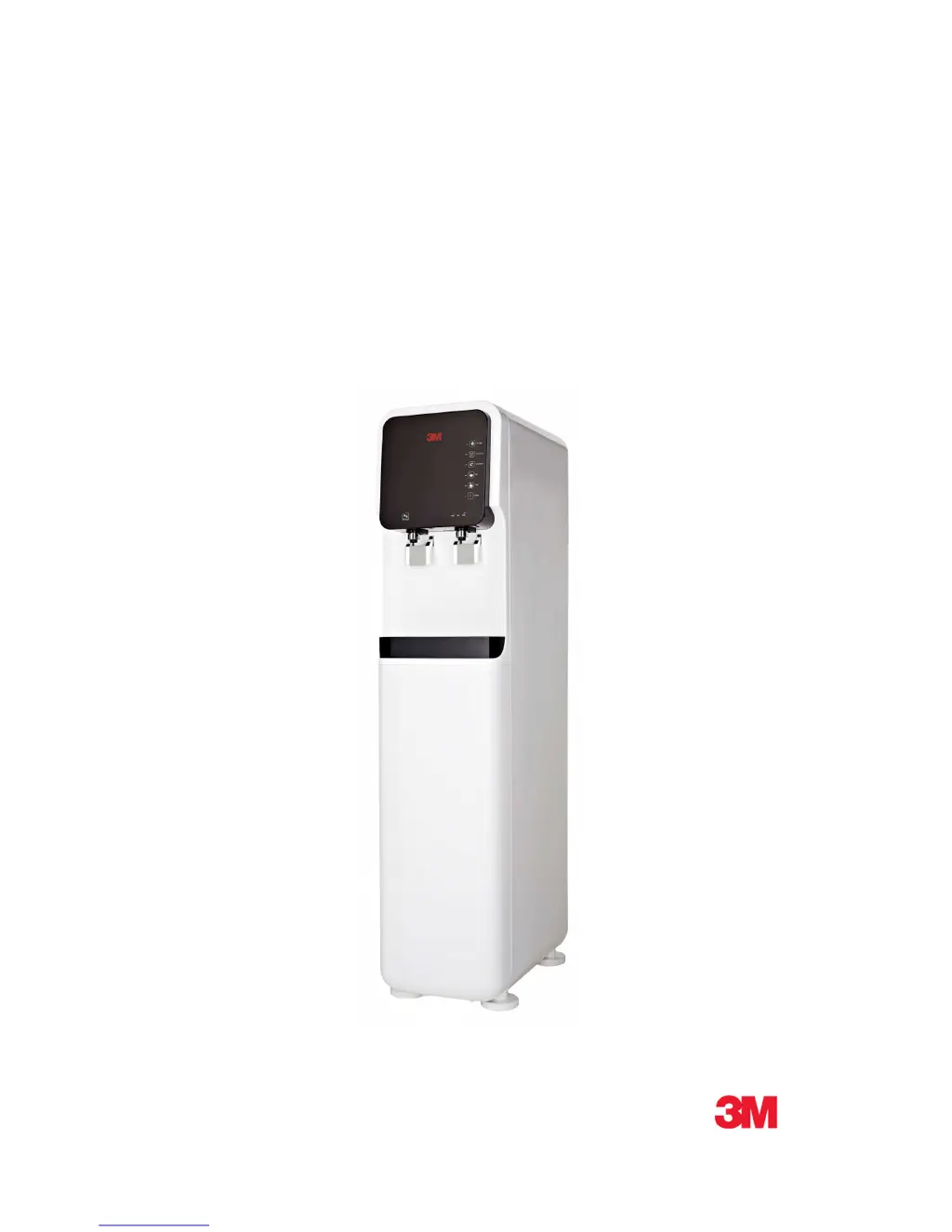
3M HCD-1 - User Manual

3M HCD-1
16 pages
Print Icon
To Next Page IconTo Next Page
Loading...
3M
TM
Water Filtration Solutions
Operating Instructions
3M
TM
FILTERED WATER DISPENSER
HCD-1

Questions and Answers

  • J
    Jonathan StephensAug 15, 2025
    Why is my 3M Water Dispenser not dispensing hot or cold water?
    • E
      erodriguezAug 15, 2025
      If your 3M Water Dispenser isn't dispensing hot or cold water, first check that the water supply is connected properly by opening the water supply valve, making sure the hose isn't bent, and verifying the water source is active. Also, ensure that the Hot and Cold buttons are switched on and their indicators are lit, and wait until the desired temperature is reached.
  • H
    Hannah DavisAug 18, 2025
    Why is my 3M HCD-1 Water Dispenser's cold water not cold enough?
    • P
      pierceelizabethAug 18, 2025
      If the cold water from your 3M Water Dispenser isn't cold enough, ensure the Cold button is switched on. If too much cold water has been dispensed, wait 60 minutes before dispensing again. Also, check if Econ Mode is on; if it is, turn it off and wait until the desired temperature is reached. Finally, make sure the Cold Water Temperature indicator is lit and set to level 1 or higher.
  • S
    Shawn OliverAug 21, 2025
    How to fix unpleasant flavor or smell in my 3M HCD-1 Water Dispenser?
    • C
      Candace Adams DDSAug 21, 2025
      An unpleasant flavor or smell in your 3M Water Dispenser can occur if the hot water hasn't been used for a while; in that case, drain and refill the hot water tank. It could also mean the filter needs replacing, or that the dispenser hasn't been used for a long time and needs professional cleaning.
  • M
    Michelle PerezAug 25, 2025
    What to do if my 3M HCD-1 Water Dispenser is making noise during operation?
    • M
      Marilyn HolmesAug 25, 2025
      If your 3M Water Dispenser is making noise, ensure it's placed on a flat, level surface. Also, make sure there aren't any objects on top of it or nearby that could be causing the noise. Note that some noise is normal when the tank refills after dispensing water.
  • S
    Sean SmithAug 27, 2025
    What to do if the buttons on the touch screen panel of 3M Water Dispenser do not respond or work?
    • A
      Angel GayAug 27, 2025
      If the touch screen panel on your 3M Water Dispenser isn't responding, it might be locked. You can unlock it by tapping and holding the Auto Dispense button for 3 seconds.
  • Z
    zachary48Aug 30, 2025
    What to do if my 3M HCD-1 has a reduced water flow?
    • L
      Luis TerryAug 30, 2025
      If the water flow from your 3M Water Dispenser suddenly reduces, check that the water supply valve is open. It may also indicate that the filter needs to be replaced or that too much water has been dispensed, so wait a few minutes before dispensing again.
  • C
    Christopher SimmonsSep 2, 2025
    Why is my 3M Water Dispenser's hot water not hot enough?
    • S
      Sheila FosterSep 2, 2025
      If the hot water from your 3M Water Dispenser isn't hot enough, make sure the Hot button is switched on. If too much hot water has been dispensed, wait 30 minutes before dispensing again. Also, check if Econ Mode is on, and if so, turn it off and wait for the desired temperature. Finally, ensure the Hot Water Temperature indicator is lit and set to level 1 or higher.
  • R
    Ryan HintonSep 5, 2025
    What should I do if my 3M HCD-1 Water Dispenser keeps dispensing water?
    • A
      Alyssa GutierrezSep 5, 2025
      If your 3M Water Dispenser won't stop dispensing water, it's possible that the Auto Dispense feature is activated. To stop it, press the cold water level button again while the water is dispensing.
  • N
    Nathan ChristianSep 8, 2025
    Why can't I dispense hot water from my 3M Water Dispenser, but cold water works?
    • T
      Tammy MartinezSep 8, 2025
      If your 3M Water Dispenser dispenses cold water but not hot, first check if the Safety Button is locked and unlock it. Then, press the hot water level within 3 seconds of unlocking the Safety Button. Also, ensure the Hot button is switched on and its indicator is lit, waiting for the desired temperature to be reached.
  • G
    gonzalezjoannaSep 12, 2025
    What causes condensation on the cold parts of my 3M HCD-1?
    • J
      James WoodsSep 12, 2025
      Condensation on the cold parts of your 3M Water Dispenser is caused by a humid environment. Remove the source of humidity.

Summary

SAFETY INFORMATION

WARNING

Explains consequences of hazardous situations leading to death, serious injury, or property damage.

CAUTION

Explains consequences of hazardous situations leading to property damage.

NAMES OF PARTS

WATER FLOW SCHEMATIC DIAGRAM

PANEL CONTROL AND FUNCTIONS

Control Panel Buttons - Part 1

Details functions for UV, Auto Dispense, Econ Mode, and Hot Water controls.

Control Panel Buttons - Part 2

Details functions for Cold Water, Power, Safety Lock, and temperature indicators.

HOW TO USE

INSTRUCTION BEFORE USE

Steps to follow before operating the dispenser for the first time.

HOW TO CUSTOMIZE WATER TEMPERATURE

Customize Hot Water Temperatures

Steps to set desired hot water temperatures between 83°C and 90°C.

Customize Cold Water Temperatures

Steps to set desired cold water temperatures between 5.0°C and 7.0°C.

HOW TO CLEAN EXCESS WATER RECEIVER

TROUBLESHOOTING GUIDE

TECHNICAL SPECIFICATIONS

LIMITED WARRANTY

LIMITATION OF LIABILITY

3M HCD-1 Specifications

General IconGeneral
Water Temperature (Hot)≥90°C
Dimensions270 x 420 x 420 mm
Weight13.8 Kg (Net)
TypeHot & Cold
Heating Capacity5L/h
Water Temperature (Cold)≤10°C
Voltage220V

Related product manuals