Printed in U.S.A.
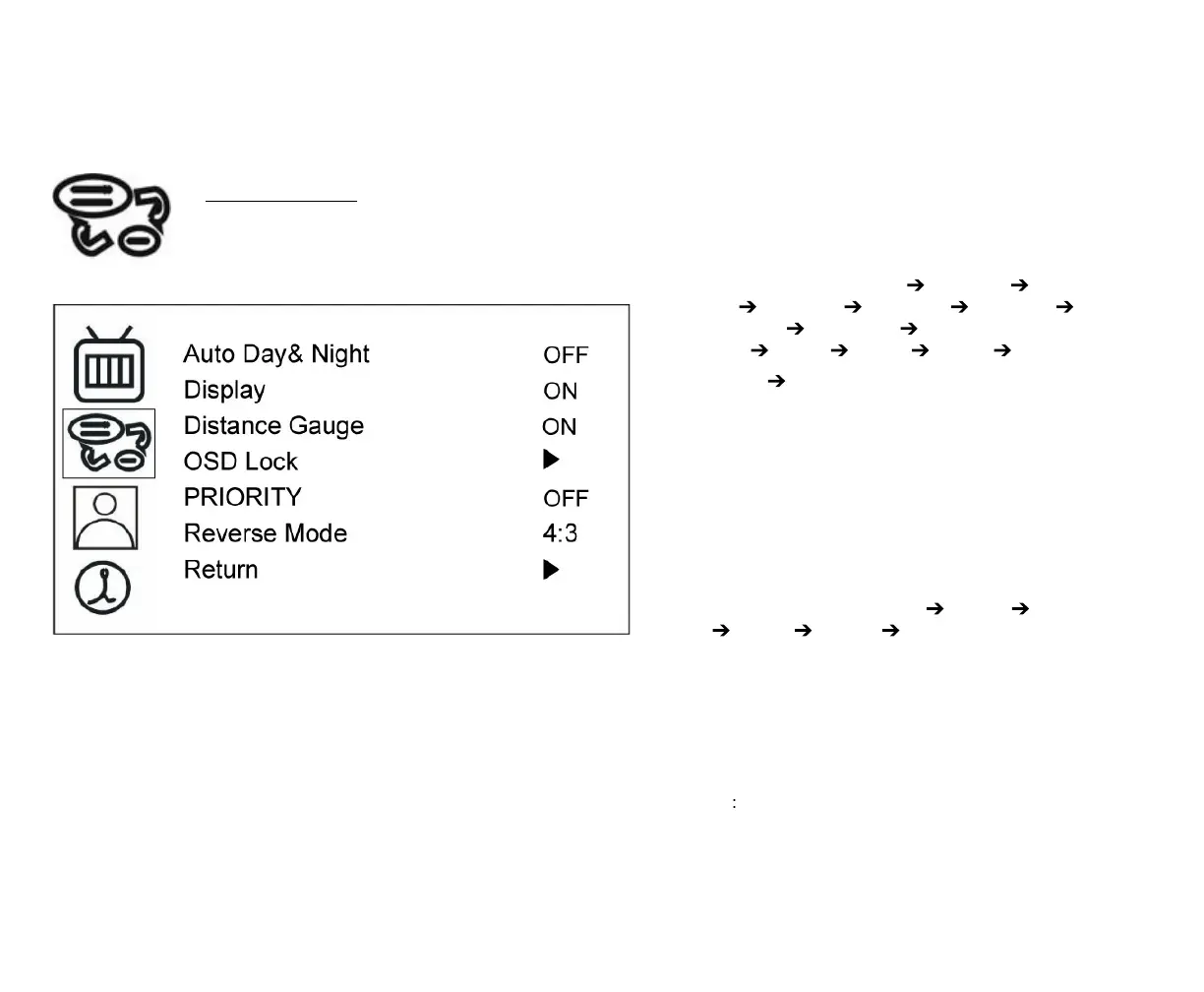
PRIORITY
If Priority is ON
1. Press SOURCE button to select image
sequence as below~ AV CAM A+B CAM
C+R CAM A+R CAM R+B CAM A+C
CAM C+B CAM R/AB CAM
R+AB CAM A CAM B CAM C
2. CAM R AV…….
3. Triggered mode priority: Reverse >
Right/Left / CAM C
4. JUMP mode: QUAD
5. OSD Lock mode: OFF
If Priority is OFF
1. Press SOURCE button to select image
sequence is as below~ AV CAM A CAM
B CAM C CAM R AV……..
2. Triggered mode priority: Right/Left/CAM C
> Reverse
3. JUMP mode: CAM R
4. OSD Lock mode: ON
Default value is “ON”.
NOTE When you choose “OFF” mode, OSD
Lock function is enabled.



 To Next Page