Printed in U.S.A.
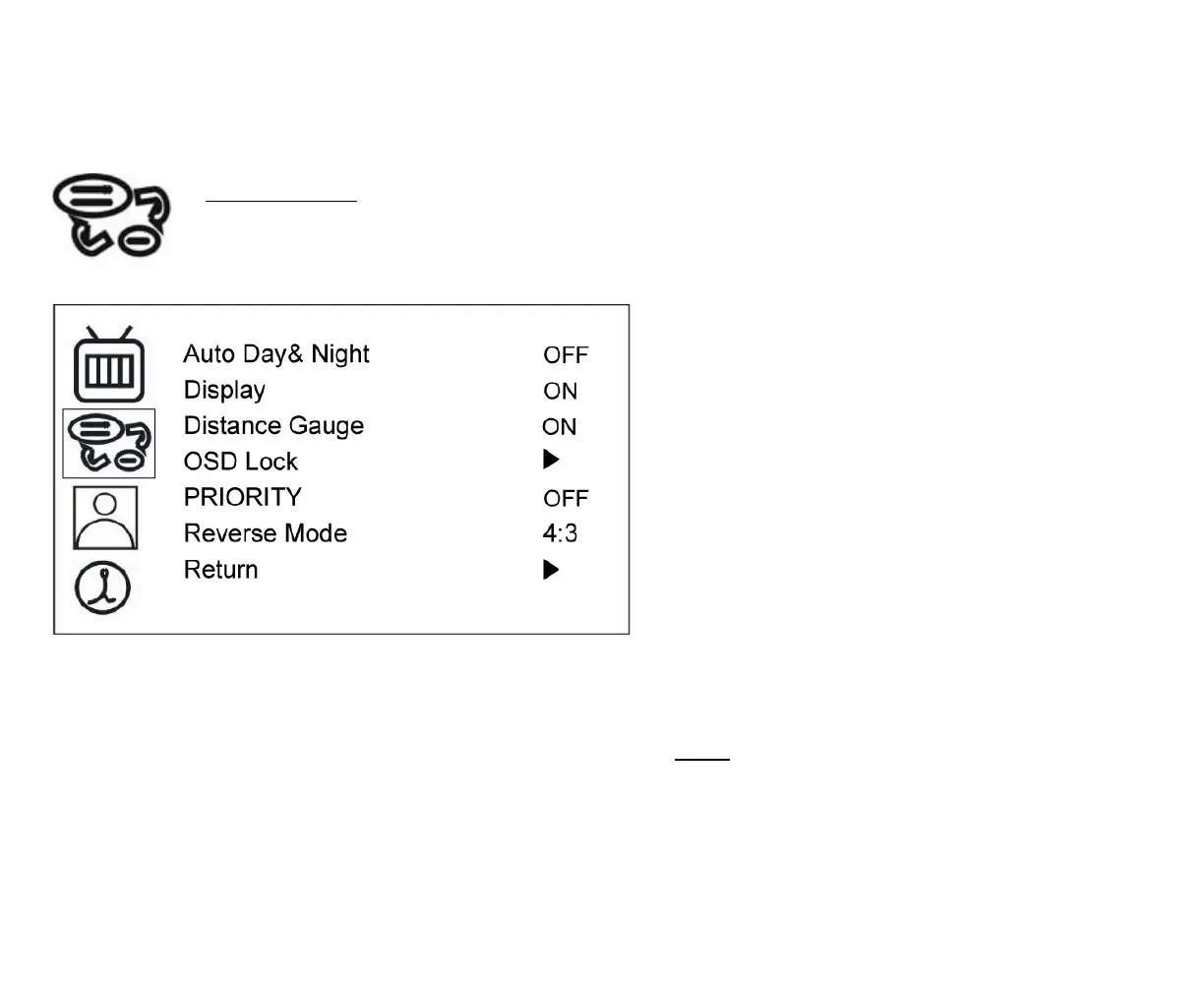
Auto Day&Night
Select “ON” to activate the auto day & night
function or “OFF” to deactivate it. Default
value is OFF.
Display
Select “ON” to show the SELECT of video
input title on screen or “OFF” to keep it
invisible. Default value is ON.
Distance Gauge
Set the distance gauge “ON” to show the
distance gauge on screen while reserving or
“OFF” to deactivate. Default value is ON.
(This “DISTANCE GAUGE” is for user’s
reference only)
OSD Lock
This function provides protection when an
unauthorized person tries to access the OSD
settings. JUMP and SELECT key press
simultaneously for over 5 seconds to unlock.
Default value is OFF.
NOTE: Users must turn on LCD in order to run
unlock process. All function buttons are still
working during OSD Menu lock up period.



 To Next Page