EasyManua.ls Logo

3rd Eye AWT07MLEDT - TFT Installation

3rd Eye AWT07MLEDT
38 pages
Print Icon
To Next Page IconTo Next Page
To Previous Page IconTo Previous Page
Loading...
6
USER MANUAL
AWT07MLEDT
Copyright 2018, 3rd Eye
Printed in U.S.A.
Issued October 2018
TFT Installation
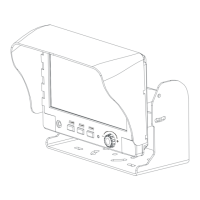
TFT INSTALLATION
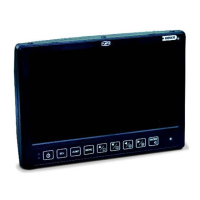
STEP 1
Check the package and
make sure all parts are
included.
STEP 5
Adjust the monitor to an
appropriate / comfortable
viewing angle before
tightening the screws.
STEP 2
Clip the sun-hood on to the
monitor.
STEP 6
Connect the control cable
included to the power
socket which located at rear
side of monitor.
STEP 3
Make sure it is installed
properly.
STEP 7
Monitor installation is now
completed. Each control
cable wire is attached with a
sticker to indicate its signal
function. Referred to the
identification sticker for
further installation.
STEP 4
Install the monitor on to the
bracket.

Related product manuals