Quick Installation Guide
EAP220 Enterprise Access Point ENGLISH
Copyright © 4IPNET, INC. All rights reserved.
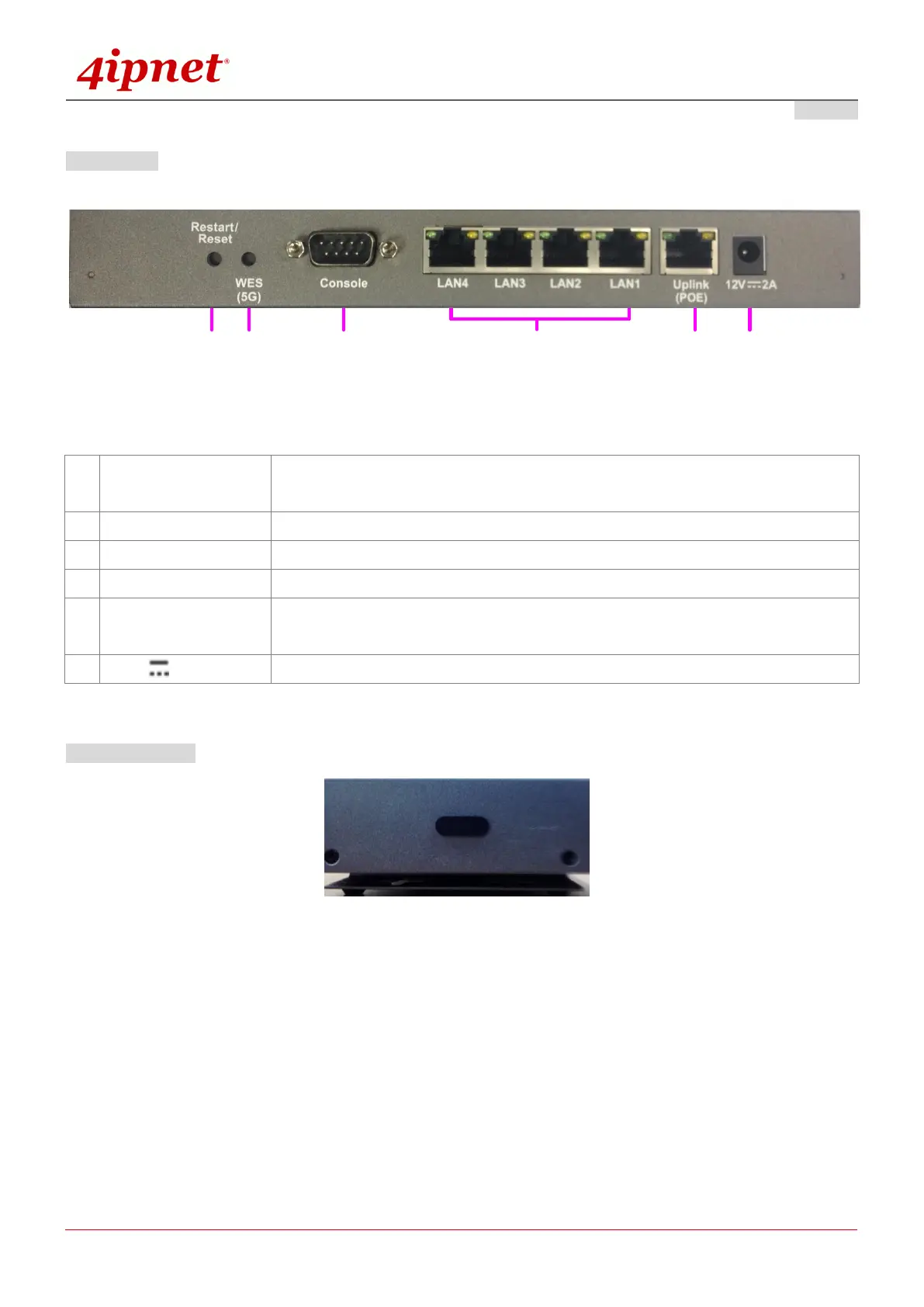
Rear Panel
Figure 2 EAP220 Rear Panel
Press once to restart the system; to reset the system to factory default settings,
hold for more than 5 seconds.
For IT administrators to easily setup WDS links with two RF cards.
To access EAP220 via the console interface.
The ports for connections with LAN side devices.
The port for uplink connection to another gateway or device. PoE (802.3at) is
supported.
Power Socket for the power adaptor.
Right-Side Panel
On the right side of the panel there is a Kensington slot. Admin can also fill it with a rubber plug.



 To Next Page