Page 8
By its operator from their computer keyboard, using a supplied program to generate and monitor
SpaceWire traffic manually;
Through the use of pre-designed command scripts that run standard sets of tests and analyse the results
automatically;
Using customer-created software that interacts with their SpaceWire network through the
EtherSpaceLink Application Programming interface (API) under program control.
2.2 Getting Started
As an Ethernet-to-SpaceWire bridge, the primary purpose of the Diagnostic SpaceWire Interface is to relay traffic
from a host computer to one or more SpaceWire ports, and vice-versa. This can easily be demonstrated by
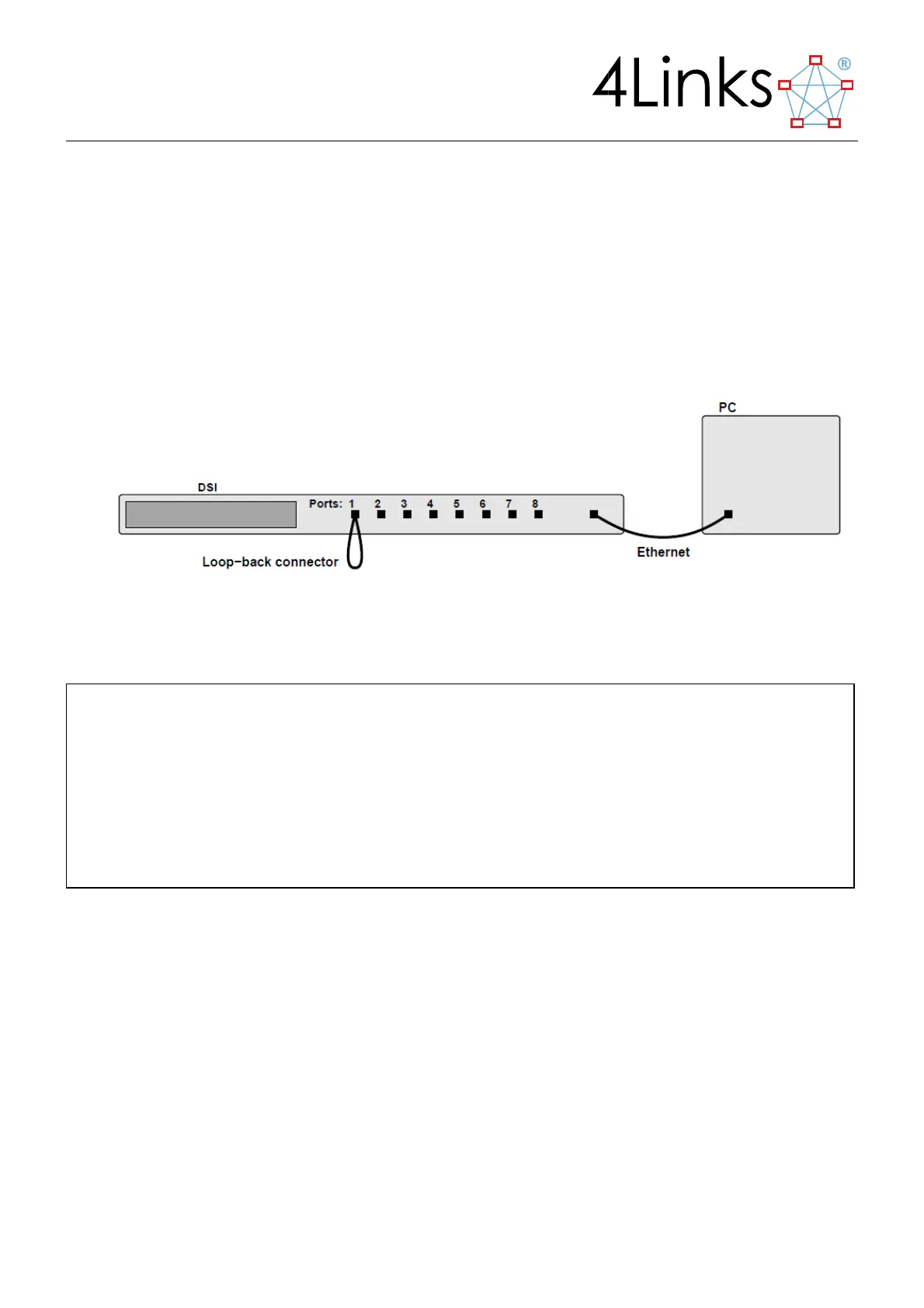
connecting port 1 of the DSI back to itself using the supplied loop-back connector:
FIGURE 2-1CONNECTING THE DSI IN LOOP-BACK MODE
Using the SpWIO program, a SpaceWire packet may be sent from the host computer to the DSI’s SpaceWire port
1, from where it flows through the loop-back cable and back to port 1. From there, it will be returned to the host
computer, displayed and recorded.
Here we can see that a 4-byte EOP-terminated packet was transmitted to port 1 of the DSI, and a 4-byte packet
was then received from port 1.
Further examples in this manual will illustrate some of the advanced error-injection, error-reporting and
synchronisation features of the Diagnostic SpaceWire Interface.
2.3 Standard Diagnostic SpaceWire Interface Capabilities
All DSI units include the following capabilities:
java -jar SpWIO.jar /u 192.168.3.42
//-4Links.SpWIO (v24:20111201/v33:20110920) on Fri Sep 14 14:48:04 BST 2012
//-/u 192.168.3.42
//-Attached 192.168.3.42 is DSI-RG40x/8 v1.9 [EI,EW,ER,TT,SO], 8-ports,
//- link mode is normal at 10.0Mb/s
//-Log file is "SpWIO_20120914_144809.log"
//-Input from "(console)"
@1 2 4 6 8 eop
Tx:@1 #02 #04 #06 #08 EOP
Rx:@1 #02 #04 #06 #08 EOP



 To Next Page