EN
04 START-UP
Page 7
04 Start-up
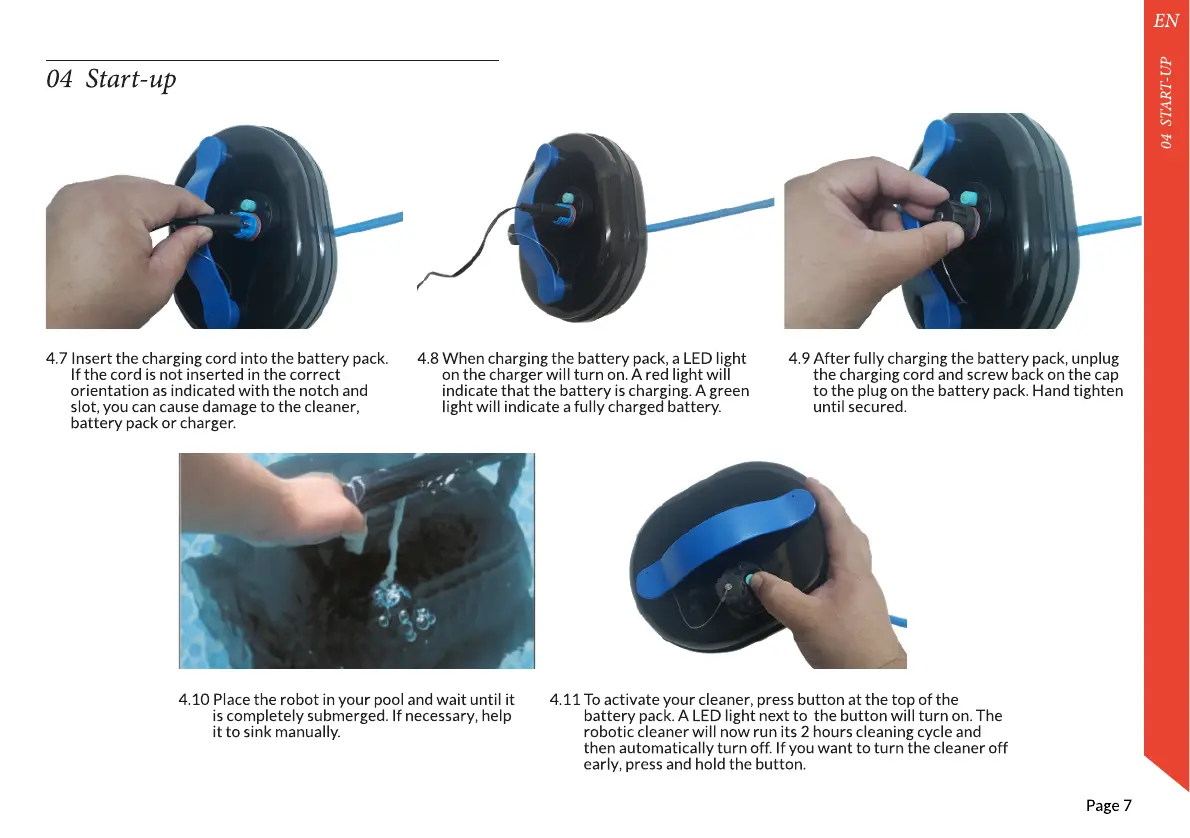
4.8 When charging the battery pack, a LED light
on the charger will turn on. A red light will
indicate that the battery is charging. A green
light will indicate a fully charged battery.
4.7 Insert the charging cord into the battery pack.
If the cord is not inserted in the correct
orientation as indicated with the notch and
slot, you can cause damage to the cleaner,
battery pack or charger.
4.9 After fully charging the battery pack, unplug
the charging cord and screw back on the cap
to the plug on the battery pack. Hand tighten
until secured.
4.11 To activate your cleaner, press button at the top of the
battery pack. A LED light next to the button will turn on. The
robotic cleaner will now run its 2 hours cleaning cycle and
then automatically turn off. If you want to turn the cleaner off
early, press and hold the button.
4.10 Place the robot in your pool and wait until it
is completely submerged. If necessary, help
it to sink manually.


 To Next Page