04 Start-up
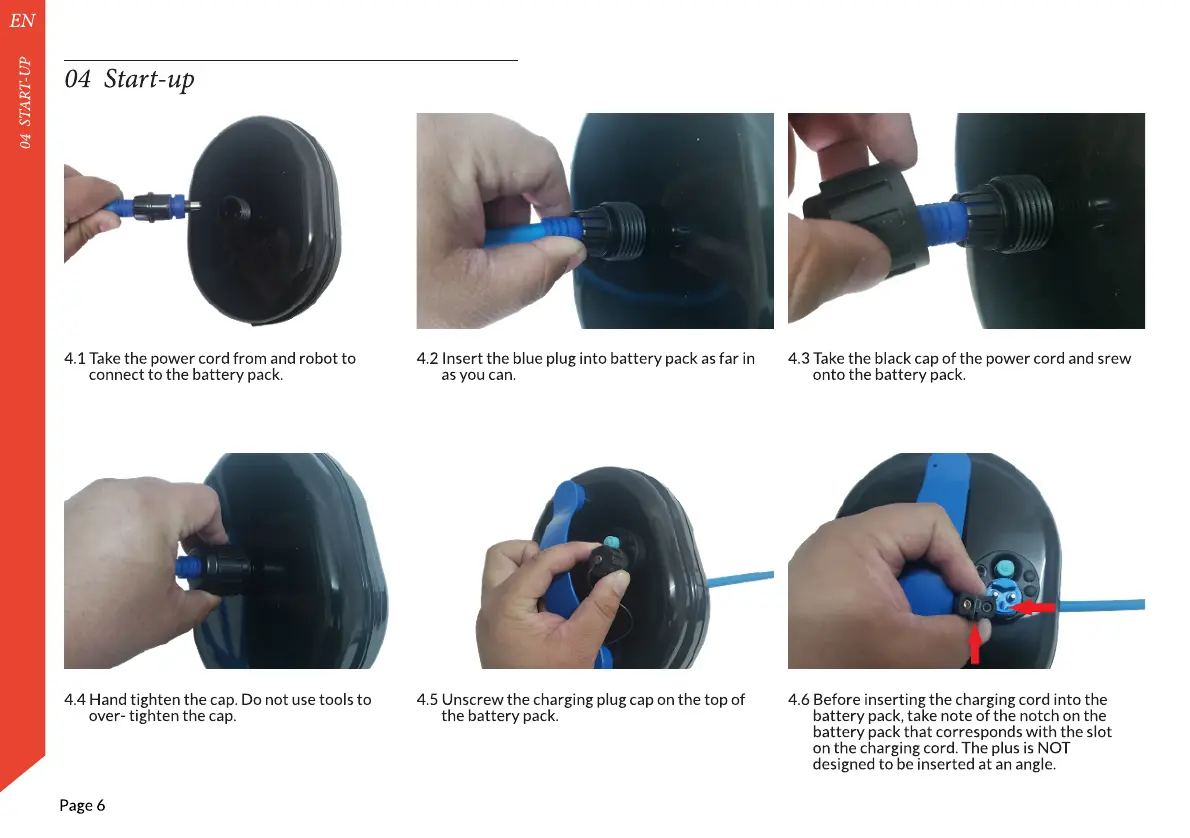
4.2 Insert the blue plug into battery pack as far in
as you can.
4.1 Take the power cord from and robot to
connect to the battery pack.
4.3 Take the black cap of the power cord and srew
onto the battery pack.
EN
04 START-UP
Page 6
4.6 Before inserting the charging cord into the
battery pack, take note of the notch on the
battery pack that corresponds with the slot
on the charging cord. The plus is NOT
designed to be inserted at an angle.
4.4 Hand tighten the cap. Do not use tools to
over- tighten the cap.
4.5 Unscrew the charging plug cap on the top of
the battery pack.


 To Next Page