| Product Introduction
10
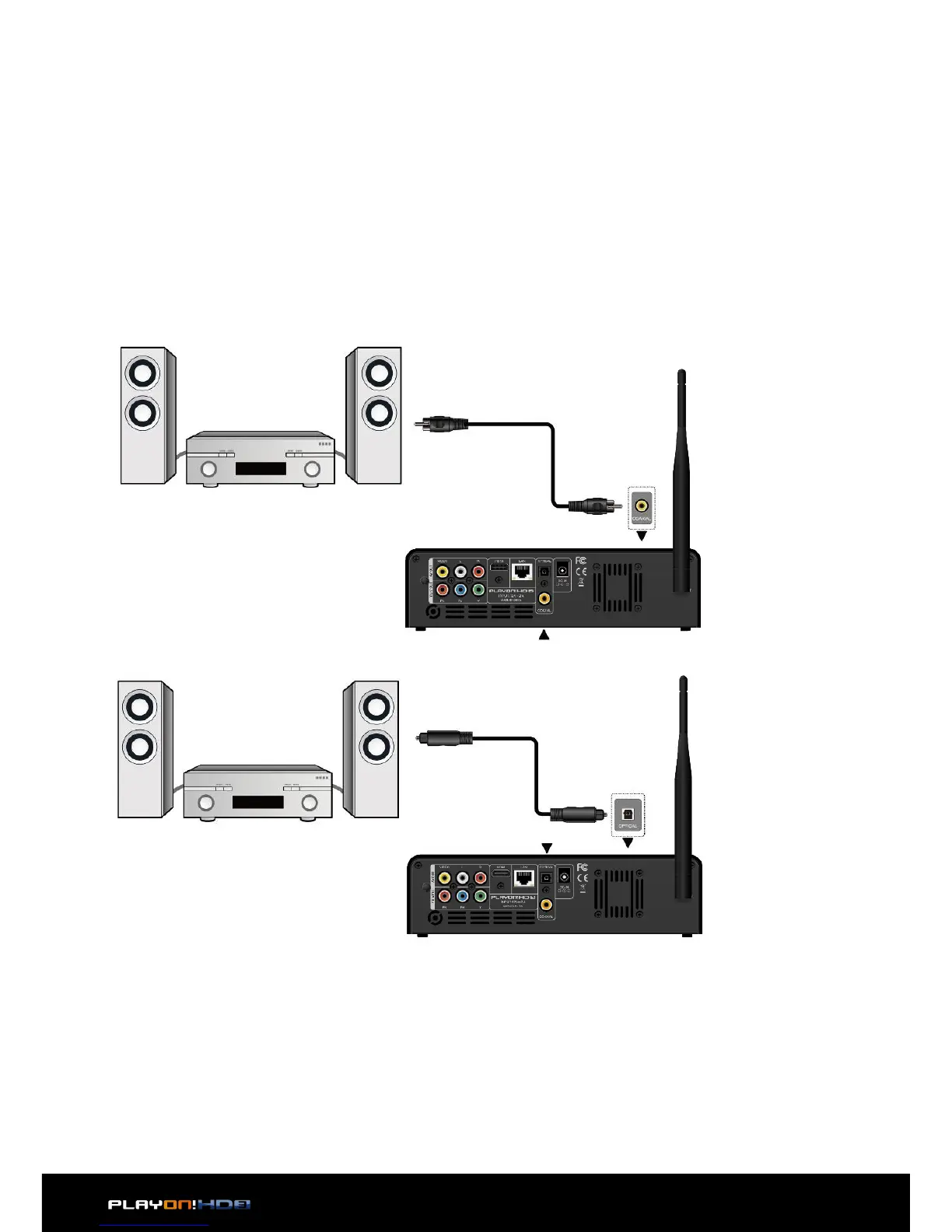
2.3.5 Digital Audio Device connection
1. Follow the picture and plug in the RCA connector on your coaxial cable to the
player’s S/PDIF Coaxial jack. Or if you use optical fiber, please plug in the Toslink
connector on your optical fiber to the player’s S/PDIF Optical jack; (not supplied)
2. Follow the picture and plug in the other connector on your coaxial cable or opti-
cal fiber to the digital audio device. (not supplied)


 To Next Page