Product Introduction |
9
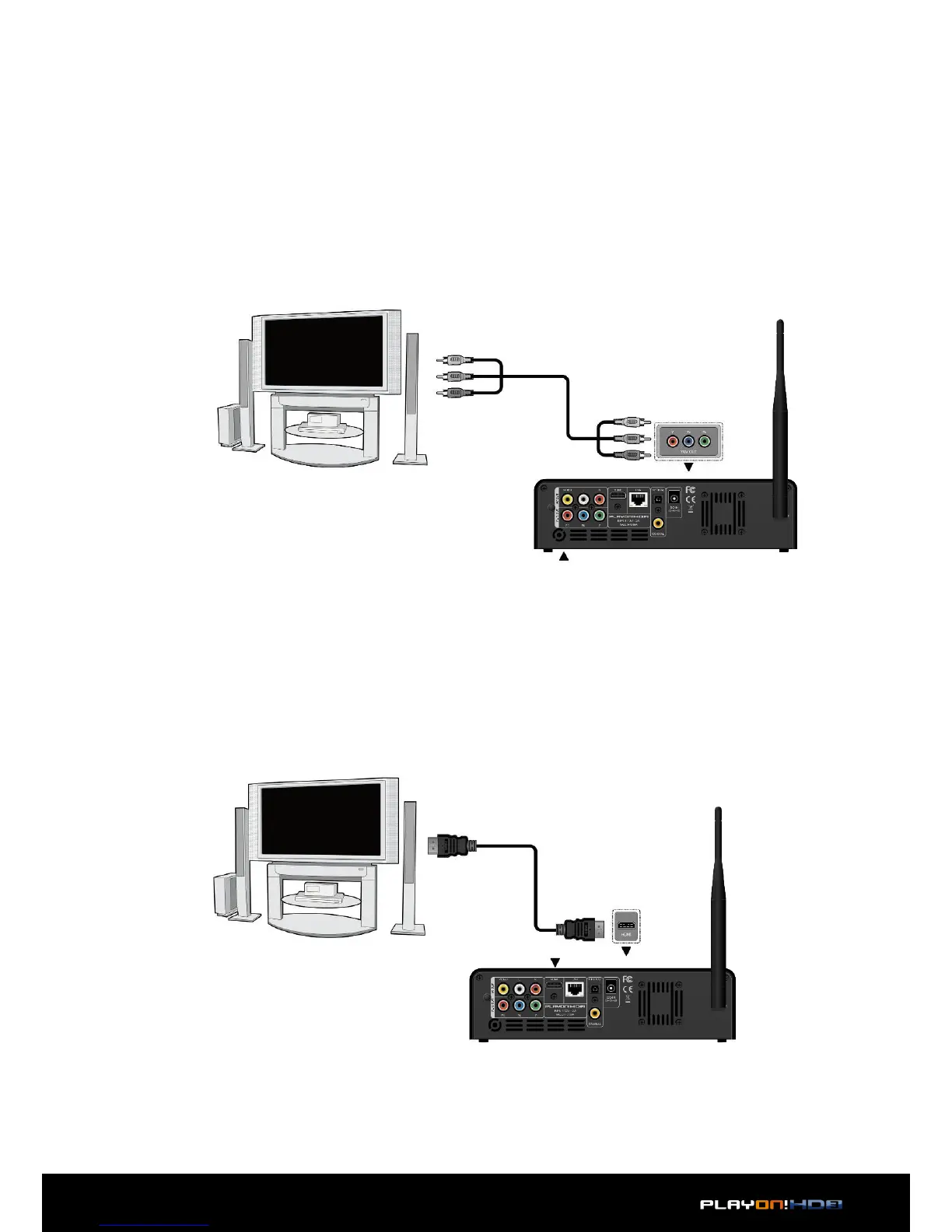
2.3.4.2 Y/Pb/Pr Component OUT
1. Follow the picture and plug in the connector of the YUV cable to the player’s Y/
Pb/Pr jack;
2. Follow the picture and plug in the 3 color connector to the TV’s Y/Pb/Pr jack.
Audio Connection while using Y/Pb/Pr Video out:
First method: use the audio output from the A/V OUT jack;
Second method: use the audio output from the S/PDIF Coaxial or Optical jack.
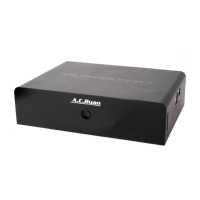
2.3.4.3 HDMI OUT
1. Follow the picture and plug one connector on your HDMI cable to the player’s
HDMI jack;
2. Follow the picture and plug the other connector on your HDMI cable to the TV’s
HDMI jack.
This allows you to enjoy your media content in the player, on your TV.
This allows you to enjoy your media content in the player, on your TV.


 To Next Page