| Product Introduction
8
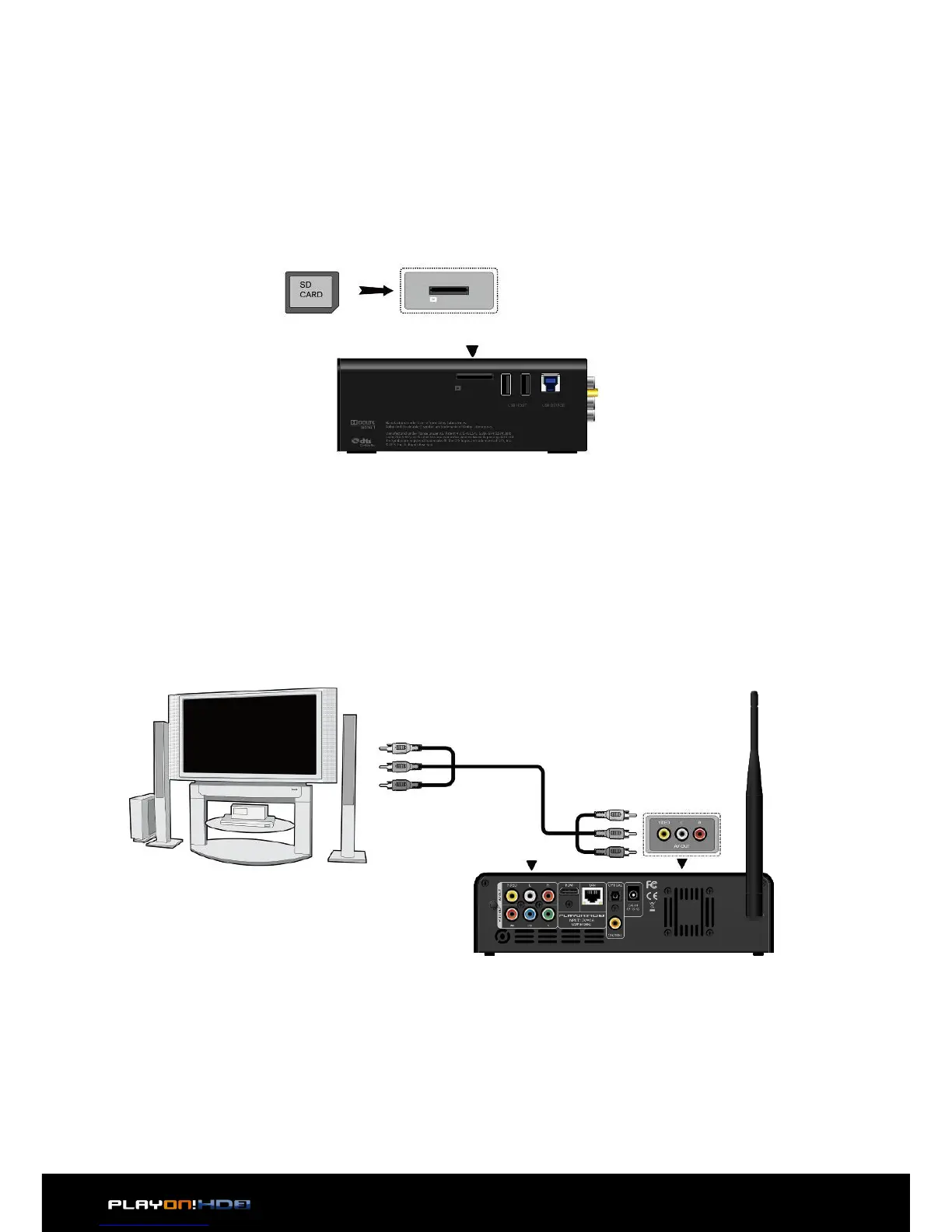
2.3.3 Connecting a Memory Card
Memory card can be used by inserting into the card slot
1. Follow the picture to insert the memory card into the card slot properly;
2. Insert the card by following the arrow pointer in the picture.
2.3.4 TV connection
2.3.4.1 A/V OUT
1. Follow the picture and plug in the 3 color connector to the player’s A/V OUT
jack;
2. Follow the picture and plug in the 3 color connector to the TV’s A/V IN jack.
This allows you to connect the content in the player to your TV or other display
devices.


 To Next Page