13
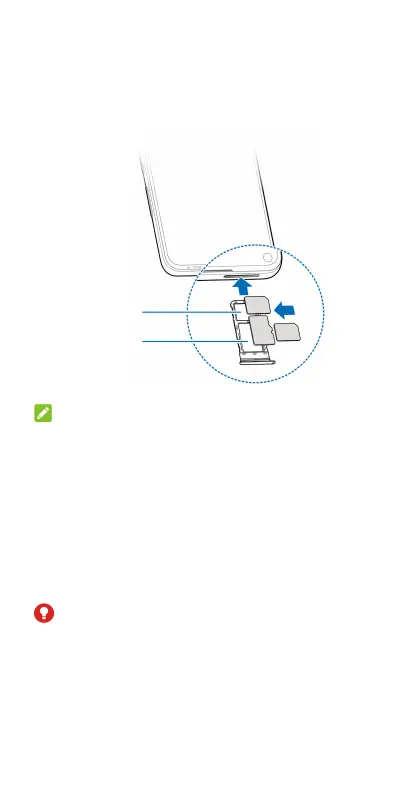
2. Pull out the card tray. You can place a
nano-SIM card on the card slot 1, and place a
nano-SIM card or a microSDXC card on the
card slot 2, as shown. Carefully slide the tray
back into place.
NOTE:
When two nano-SIM cards are installed, both cards
can connect to the 4G/LTE, 3G, or 2G network, and
either card can be used for mobile data.
Charging the Phone
Your phone’s battery should have enough power
for the phone to turn on, find a signal, and make a
few calls. You should fully charge the battery as
soon as possible.
WARNING!
Use only A1-approved chargers and USB Type-C
cables. The use of unapproved accessories could
damage your phone or cause the battery to
explode.
Card slot 1
Card slot 2



 To Next Page