57
Camera
Capturing a Photo
1. Open the Camera app.
NOTE:
You can quickly open the camera or take a
snapshot by pressing the Power key twice
quickly. To use this feature, touch
on the
camera screen and touch Double tap Power
key.
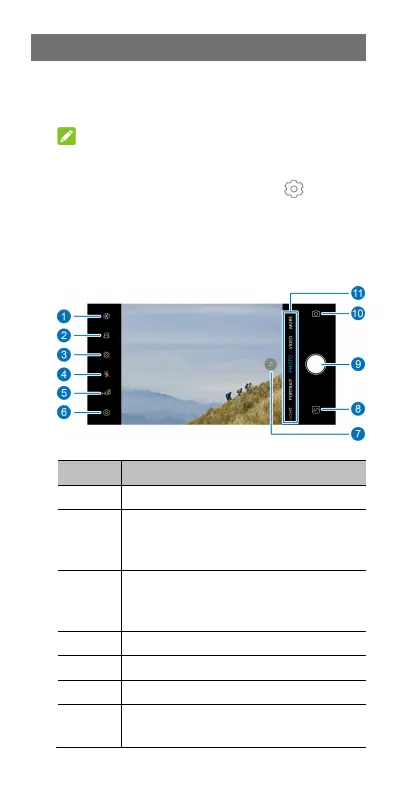
2. Aim the camera at the subject and make any
necessary adjustments. PHOTO (auto camera)
mode is used by default.
Number
Function
1
Use the filter.
2
Use auto-beauty mode or customize
the personal options to beautify
faces in the picture.
3
Enable LIVE photo mode. You can
shoot LIVE photos, which include a
still image and a short video clip.
4
Change the flash setting.
5
Change the HDR setting.
6
Change the camera settings.
7
Zoom control: Touch to switch
between 1x zoom and the



 To Next Page