23 24
Working with pictures
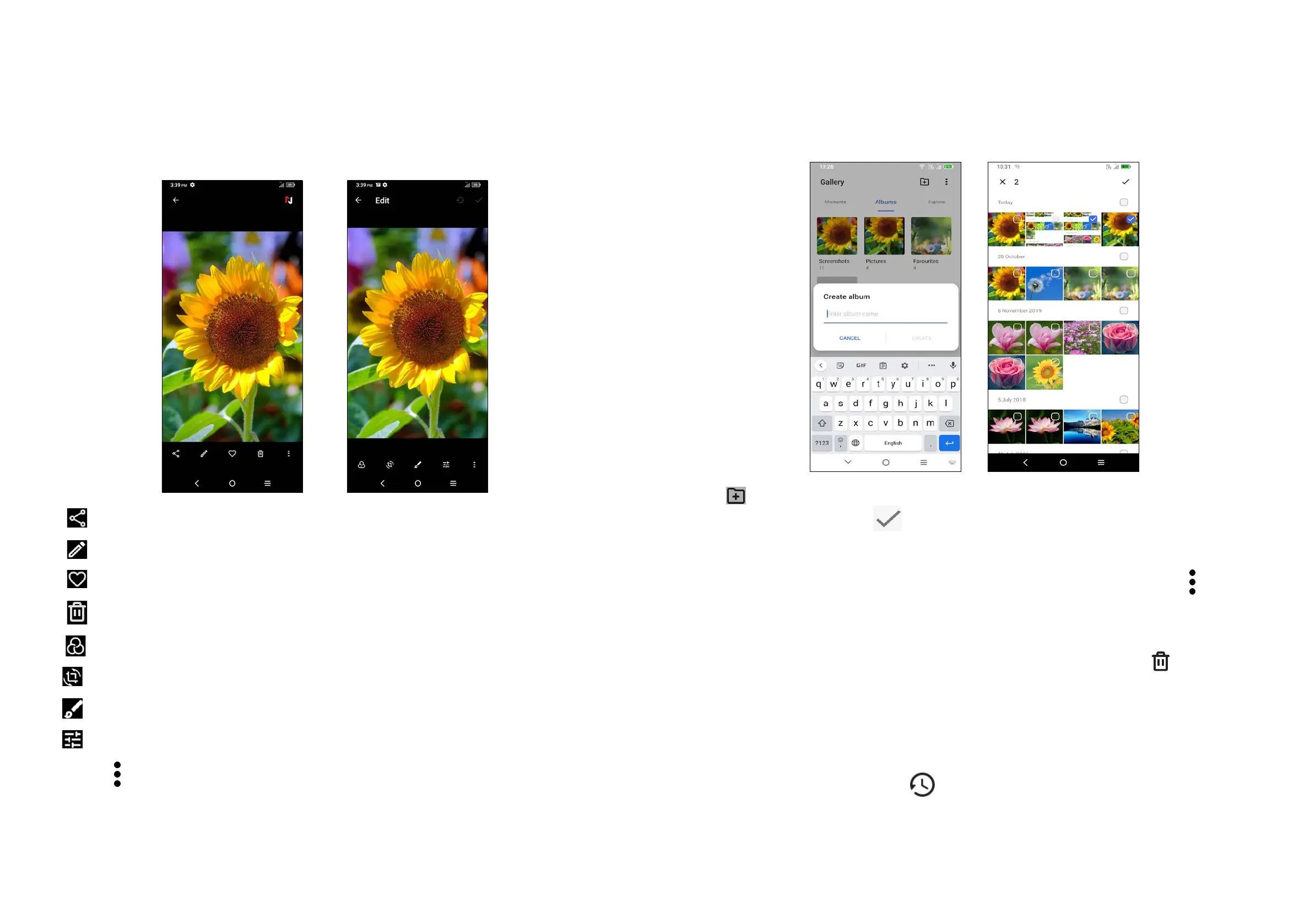
You can work with pictures by rotating or cropping them, sharing them with friends,
setting them as a contact photo or wallpaper, etc.
Find the picture you want to work on, and touch the picture in the full-screen
picture view.
Share
Edit
Set the picture as your favourite.
Delete
Select a filter such as Auto, Vivid, Modern, Cool, Classic, etc.
Crop, Straighten, Rotate, Mirror or Draw the picture.
Draw
Adjust the picture colour.
Touch
> Set as to set the picture as a Contact photo or Wallpaper.
Album management
When there are many pictures and videos, you can manage your albums for
convenient viewing.
• Create an album
Tap to create and name a new album. Select the pictures or videos you want
to include in it by tapping
to copy or move them.
• Move/copy pictures or videos
Touch and hold the picture(s) or video(s) you want to move/copy. Touch
> Copy
to album/Move to album, then select the album that you want to move to/copy to.
• Delete or recover pictures or videos
Touch and hold the picture(s) or video(s) you want to delete, touch
> DELETE.
Deleted items will be retained in the Trash album for 30 days, after which they will
be permanently deleted. To permanently delete them within this period, find the
picture(s) or video(s) in Trash and touch and hold to delete.
To recover the picture(s) or video(s) within this period, touch and hold the picture(s)
or video(s) in Trash and touch
to recover.



 To Next Page