39 40
Stopwatch
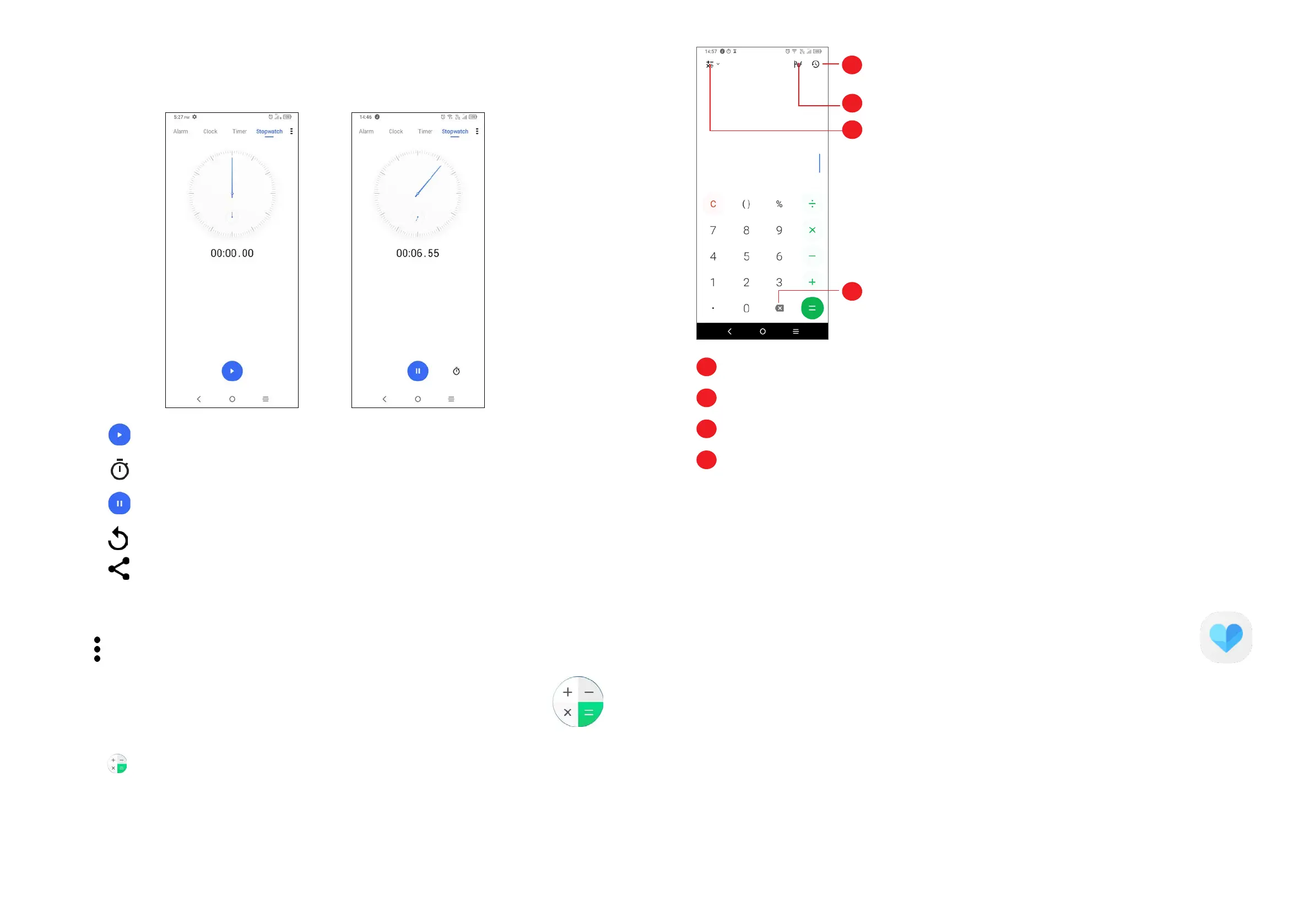
From the Clock screen, touch Stopwatch to enter.
• Touch to start the Stopwatch.
• Touch
to show a list of records according to the updated time.
• Touch
to pause.
• Touch
to reset.
• Touch
to share.
Adjust Clock settings
Touch to access Clock and Alarm settings.
3.6 Calculator ......................................................
To solve mathematical problems with Calculator, swipe up from the home screen,
then tap
.
1
2
3
4
1
Calculation history
2
Touch to switch between Basic calculation and Scientific calculation
3
For more options about Currency and Unit conversion
4
Touch to delete digits one by one
3.7 Other applications
(1)
The previous applications in this section are preinstalled on your phone. To
download and install more 3rd party applications, use the Google Play Store
application.
Support centre ............................................................................
Support Center helps you to learn more about Hot FAQs, operation instructions,
troubleshooting, etc. Use it to send us your feedback.
3.8 Google applications
Google apps are preinstalled on your phone to improve work efficiency and help
you enjoy life.
(1)
Application availability depends on country and operator.



 To Next Page