25 26
• Hide album
(1)
Touch and hold the album you want to hide, touch > MOVE. The album
contents will be hidden from Moments.
2.3 Music .............................................................
You can play music files stored on your phone or microSD card.
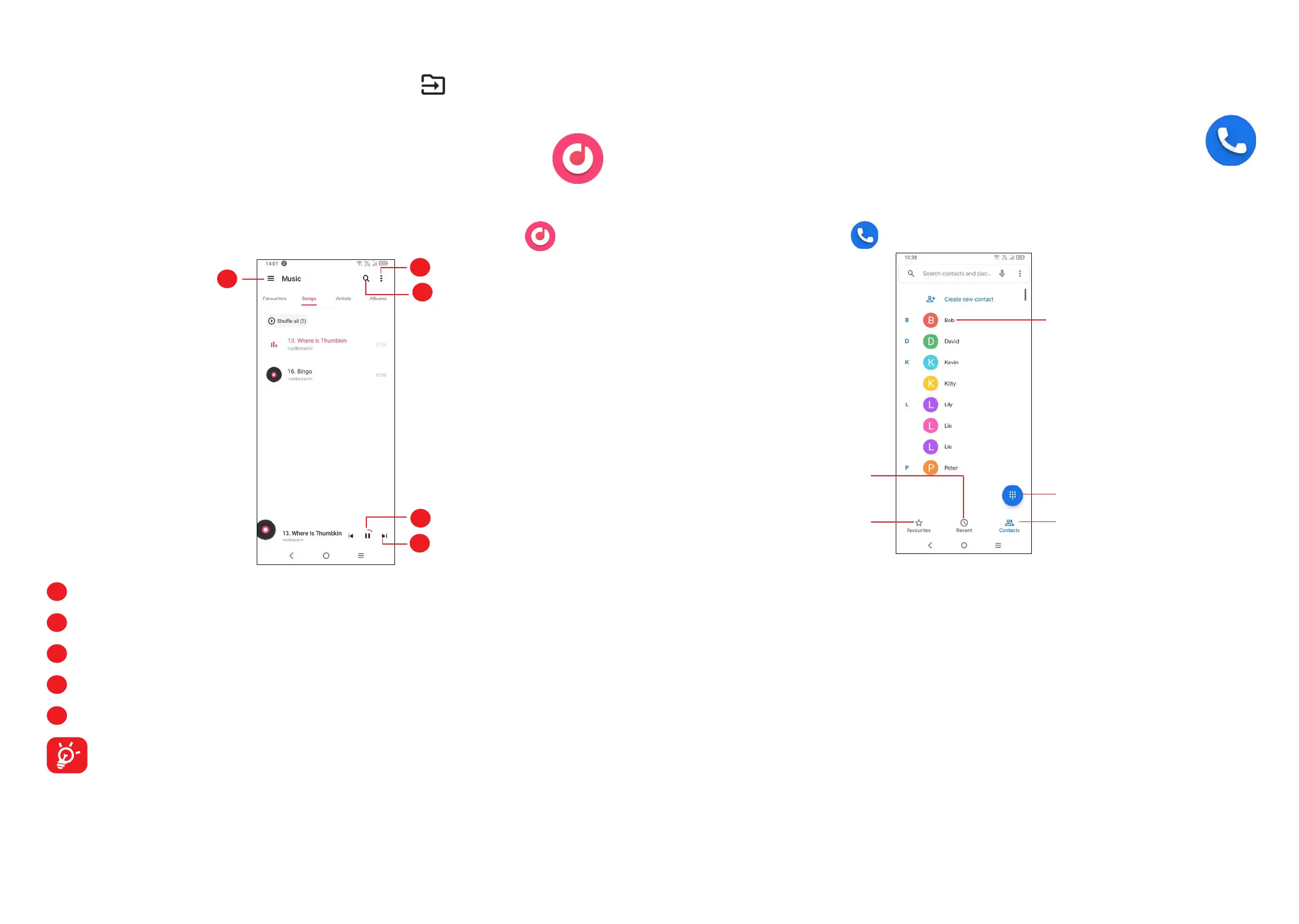
To play a music file, swipe up on the Home screen, then touch Music
.
1
2
3
4
5
1
More options
2
Search for a song
3
Play or pause
4
Play the next song
5
Music settings
While playing songs with Music, the operation of pause, play or skip is still
available even if the screen is locked.
(1)
Default albums such as Camera, Videos, Screenshots, etc. can't be hidden or
moved.
3
Apps and features
3.1 Phone ............................................................
Making a call
To make a call, touch in the Favourites tray.
Contacts
View the call's detailed
information
Call logs
Favorite numbers
Show the dial pad



 To Next Page