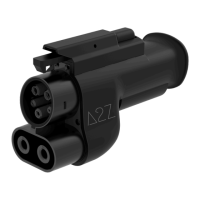
Troubleshooting :
Page 11
My adapter does not work:
Make sure your vehicle has access to the DC NACS charging
network.
Make sure the adapter and NACS connector are fully inserted.
Make sure the NACS DC charger accepts CCS1 vehicles (V3 and
V4).
Initiate the charging process through the charger’s application.
Initiate the charging process through the vehicle’s app or
infotainment.
Change charging stall as the one you are trying to use may be
defective.
If these steps are not helpful, contact us.
I am getting very low charging speeds :
For optimal charging speeds, a very low SOC (state of charge (%))
upon your arrival at the charging station is recommended.
The NACS DC chargers may be crowded and power is shared
between other EVs.
Change charging stall as the one you are trying to use may be
defective.
If these steps are not helpful, contact us.
I was charging and the charging process suddenly stopped :
Change charging stall as the one you are trying to use may be
defective.
The adapter is equipped with temperature sensor switches, if the
adapter’s temperature is too high you may at first experience
derating and then interruption of the charging process.
Let the adapter cool down for a few minutes and try again.
If these steps are not helpful, contact us.
I am unable to unplug the charging connector from the adapter :


 To Next Page
 Loading...