The G5/G7/G9 mouse series
have been preset the ID Code in the factory. But under the circumstances you lose receiver or
with the other receiver in the same product series, you need to refresh the ID Code before using it.
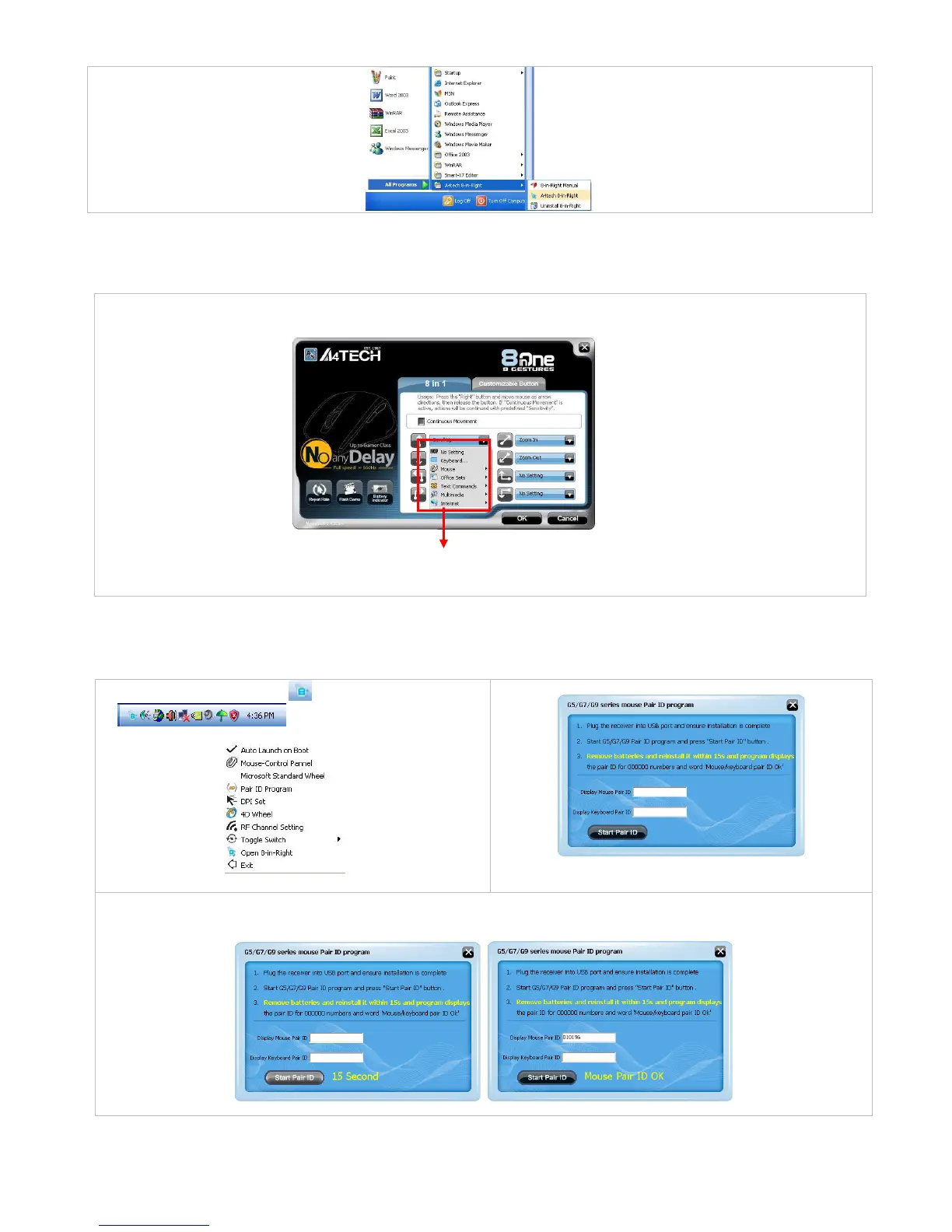
Step 1: Right click on the icon
and select “Pair ID Program”
Step 2: Press “Start Pair ID” to refresh ID Code.
Step 3: Remove the mouse batteries and insert again in 15 seconds
6 digits of matching code will be displayed on the
menu as shown “Mouse Pair ID OK”.
menu of each arrow direction, you can select
keyboard, mouse, office set
s, key combinations, multimedia and
6 main function categories and
more than 30 different functions
that are ready for your immediate selection



 To Next Page