EasyManua.ls Logo

A4 Tech. G7-300 - Shiftable Report Rates; DPI Setting

Default Icon
7 pages
Print Icon
To Next Page IconTo Next Page
To Previous Page IconTo Previous Page
Loading...
C.
How to Indicate
Battery
Status
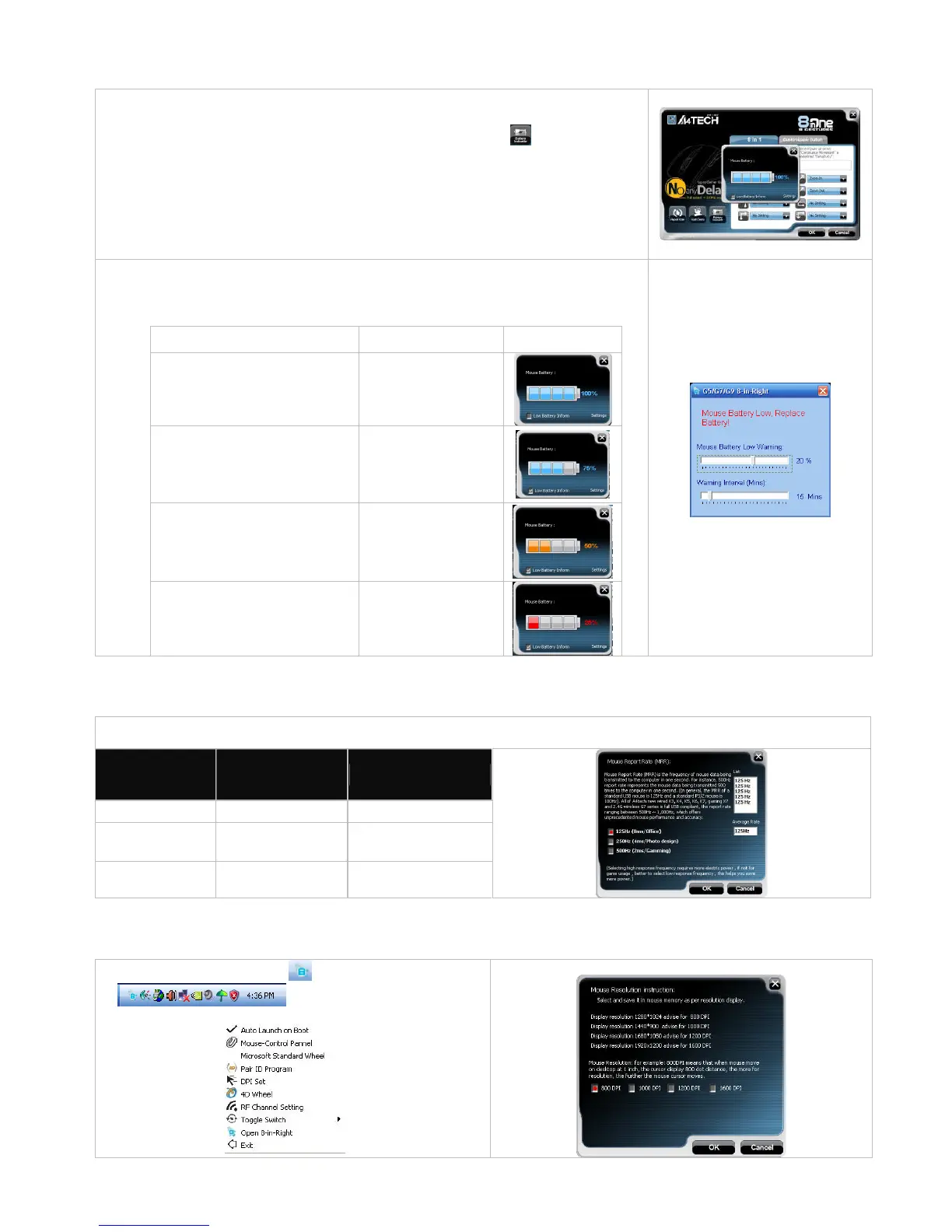
All of G7 series have Battery
S
tatus Indicator in th
e software, click
”in the main
menu
of the software, then the battery power status will be displayed on the screen. It is
convenient that you can ea
sily be aware when the battery power is low and change
battery in time.
Smart Mouse Battery Low Warning
Tick
Low Battery Inform
, w
hen the mouse power is low,
Figure. A
will pop up in
the right
corner of your screen
to remind
you
to
replace the batt
ery right away
.
Mouse Battery Low Warning
Working Voltage
Display
100%
2.4V and Above
75%
2.2~2.39V
50%
2.05V~2.19V
25%
2
.04V and Below
Figure. A
D. Three Shiftable Report Rate
s
E.
DPI Setting
T
here are
4 DPI levels
are provided
to satisfy your
needs for
work
s
and game
s
.
Step 1: Right click on the icon
in the taskbar
and select
DPI Set
Step 2:
Choose the desired DPI from below p
opped window.
There are 3 report rates can be preset fo
r high sensitive response time of 2/4/8 milliseconds, it improves cursor
delay and
jumping problems of wireless mouse, saves power in working and increases accuracy

when
playing the games.
Mouse Report Rate
Response Time
Suitable Range
500Hz
2ms
Gam
ing
250Hz
4ms
P
hoto D
esign
125Hz
8ms
Office

Related product manuals