EasyManua.ls Logo

A4 Tech. G7-300 - RF Channel Setting; Wireless Interference Avoidance; 8-in-1 Functionality; Preset Functions

Default Icon
7 pages
Print Icon
To Next Page IconTo Next Page
To Previous Page IconTo Previous Page
Loading...
F.
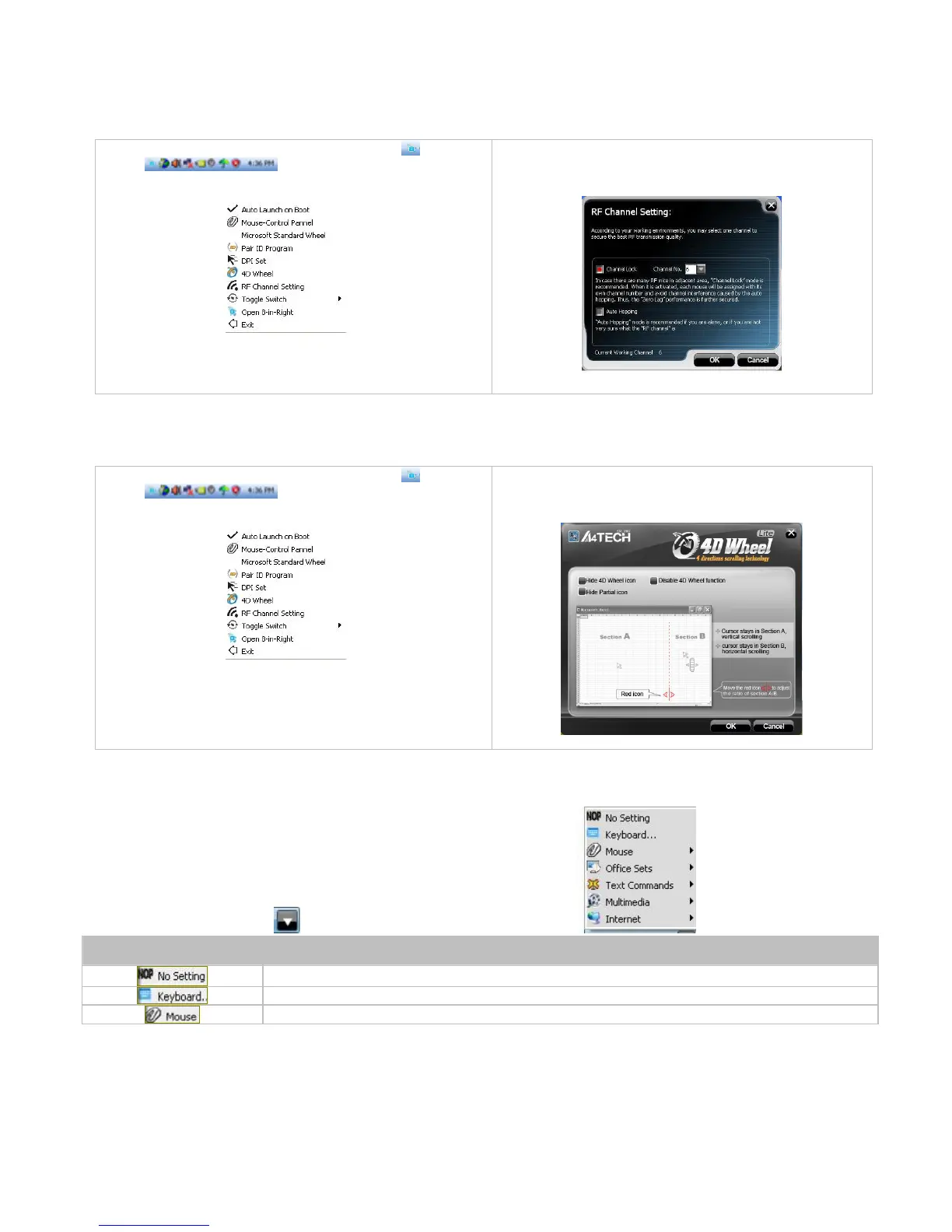
Set RF Channel to Avoid Wireless Interference
In case there are many wireless mice working in the adjacent area, you may set a specific channel so as to avoid wireless interface, hence
ensures better wireless communication quality.
Ste
p
1:
Right click on the icon
in the
taskbar
and select
RF Channel Setting
Step 2:
Tick
Channel Lock
and distribute each mouse a different
channel.
G.
4D Wheel
With our
innovative
4D Wheel, you can scroll 4 directions in a normal single wh
eel.
Step 1:
Right click on the icon
in the
taskbar
and select
4D Wheel
.
Step 2:
See instructions on the poped 4D Wheel window to
learn
on how to
ex
e
cute vertical and horizontal scrolling.
(Perform
vertical scrolling while cursor in Section A, p
erform horizontal
scrolling while in Section B.)
How to use
8
in 1
After launching
8
in 1
, click on
, then you will see a list of different functions.
Preset Functions
Available tasks
System default or no
function
is
select
ed
Any key or any
collective key on the keyboard
4th Button, 5th Button, Scroll Up, Scroll Down
, Scroll Left, Scroll Right

.

Related product manuals